.png?width=456&format=webp&quality=100)


Learning CodiMath (Coding +…
Learning CodiMath (Coding + Mathematics), it's going good!
T
Tejas Madivada
Grade 4Reviewed on Trustpilot![]() 29 Jul 2026
29 Jul 2026
.png) 29 Jul 2026
29 Jul 2026

Our Futuristic
From interactive, hands-on Scratch projects to real-world coding, our courses help kids develop logical thinking and problem-solving skills
A structured Coding programme where learners build real-world projects, publish games and apps on app stores and marketplaces and progress from block-based coding to professional programming languages.
Coding usually starts well at age seven when the child is learning through visuals, support, and simple step-by-step tasks. This is the stage when a child can follow short instructions, notice patterns, and stay with an activity long enough to see what changed after each action. If your child enjoys puzzles, spotting differences on screen, or repeating a sequence until it works, they are ready for coding for 7-year-olds. Learning should still feel active and manageable, though children can usually handle more structure than they could a year earlier. They are beginning to hold directions in mind, follow an order, and make small corrections with support. The focus is comfort with step-by-step thinking, visible outcomes, and short problem-solving.
For a seven year old, coding means giving the computer a short instruction and seeing what happens next. A child may move a block, choose a direction, or press a command, then watch a character move or start an action.
At this age, children begin understanding that the order of steps changes the result. If one action happens too early or too late, the screen responds differently. This is how coding starts building sequencing in a practical way.
Seven year olds still learn best when the task is visual. Pictures, movement, symbols, and block-based coding actions help them understand what each step is doing. They need a clear prompt, a visible response, and enough repetition to notice the pattern.
Coding also means seeing when something did not work, then trying again. A child may take the wrong step, watch the result, and make a small change. This keeps coding classes for 7 year olds practical because the learning comes through action rather than theory.
A seven year old does not need heavy technical language, long instructions, or advanced computer knowledge. Learning should stay grounded in short sequences, visual feedback, and guided tasks that match the child’s attention and confidence.
At age seven, children usually do well when learning has a clear rhythm. Sessions should move in short, manageable steps, with enough change to hold attention and enough repetition to build understanding. BrightCHAMPS should come through here as a guided, skill-building platform where children learn by doing instead of passively watching.
Children at this age still rely strongly on visual cues. They respond well to pictures, movement, and block-based actions they can follow without strain. With teacher-led support in real time, a child can see the step, try it, and understand the result with less confusion.
A seven year old learns better by building, testing, and repeating than by sitting through long explanations. Activities should ask the child to place steps in order, predict what may happen, and check the result.
Children at seven can usually handle more than guided play, though they still need the work broken into small parts. The pace should support attention, give time to process, and leave room for another try when something does not work the first time.
A seven year old begins holding focus through a few connected steps instead of reacting to one prompt at a time. You can see it when the child remembers what comes next, waits, acts, and checks the result.
Children at this age begin following directions with less hand-holding than before. They can usually complete a short sequence, repeat it, and notice when they missed a step. That steady practice helps them build confidence with structured tasks.
Coding helps a child see that each step has a purpose. When something changes on screen, they begin connecting it back to the choice they made. That is where early logic starts becoming clearer.
At seven, many children begin showing more patience with small mistakes. When a command does not work, they can often look again, make a change, and try once more. This builds comfort with correction.
Coding at this age still leaves room for imagination. A child may move a character, build a tiny sequence, or make a short visual story respond to their choices. These moments make learning enjoyable while building practical thinking skills.
In the United States, parents usually want classes that fit real family routines without turning the week into a rush. For seven-year-olds, that means after-school slots or weekend sessions that feel steady, manageable, and easy to keep up with. Families at this stage want both enjoyment and structure. They want the child to look forward to class, but they also want to know that there is real learning happening inside the session. In the U.S., many parents lean toward guided, hands-on learning with clear results that a child can see. They respond well to teacher support, a clear task flow, and a pace that does not leave the child behind. English is generally the default class language, with simple wording that a seven-year-old can follow without strain.
At age seven, children still respond well to activities that feel lively and visual, though they can now handle a bit more structure than younger learners. Story-led logic games may ask them to help a character move through a scene, finish a pattern, or respond to a prompt in the right order. In the United States, familiar themes like animals, outer space, sports, weather, or neighborhood settings can help the activity feel more natural from the start.
Block puzzles are a strong fit for this age. A child may arrange coding blocks, match an action to an outcome, or correct a sequence when something does not work. The task feels clear because they can see each step in front of them. That helps coding classes for 7 year olds feel practical, active, and easier to understand.
Interactive animations help a child see the result right away, which keeps the activity easy to follow. They choose a step, watch what changes on screen, and then decide what to adjust next. For a seven-year-old, this works best when the session leaves enough room to pause, check, and try once more without any pressure.
Many U.S. parents look for enrichment that builds thinking skills without making the child feel like school has simply continued into the evening. They are usually drawn to classes that feel well planned, age-appropriate, and active rather than passive.
Parents usually settle in when the teaching feels clear, the pace fits the child, and the class setting feels safe and steady. They want to know someone is there to guide the child through new tasks, instead of leaving them alone when the steps stop making sense.
BrightCHAMPS fits that expectation through guided, teacher-led learning that keeps the child involved throughout the session. That makes coding for 7 year olds feel more practical, more structured, and easier for families to commit to with confidence.
A clear path from basics to advanced coding
Projects that show real skills
Motivation that drives mastery
A clear path from basics to advanced coding
Explore 6 structured online coding courses across the South Africa, focused on hands-on learning, real-world projects, and measurable progress, helping kids grow into confident developers.
Full-Stack Technology
1-1
taxes not included
Multidisciplinary Tech
1-1
taxes not included
Core Programming
1-1
taxes not included
Full-Stack Technology
Group
taxes not included
Multidisciplinary Tech
Group
taxes not included
Core Programming
Group
taxes not included
See how your child grows from a curious learner to a confident expert
Introduction to coding concepts
Fun problem-solving exercises
Use easy platforms and languages
Create simple games and apps
Fix errors and refine code
Tackle advanced challenges
Our shining stars making an impact
I would like to thank my sir, Ujjawal. I would also like to thank BrightCHAMPS for giving me this opportunity and providing such a great platform to learn.

I have been a student since last year October. The lessons are really interactive and my teacher is very thorough with the explanations. If I do not get something in the in a lesson then she helps me understand it and get through the lesson.

I have learned so much in coding and I love the way my teacher explains to me the code games. I've improved a lot with BrightCHAMPS. Thank you to BrightCHAMPS and my teacher Ms. Aamina for this amazing journey.
I've been learning about Cody Math. It is a really fun experience. And I've been learning about mathematical thinking. It is very fun and interesting. Teacher Pooja has been guiding me to do the projects, the blocks and playing the games.
I love dancing and I was so excited when I got to program my own dance party. It was very fun and my teacher helped me do it. I've only been coding for a few weeks and I feel very proud.
I started coding by chance since 4 months and my favourite projects are The Frog and The Princess and The Flappy Bird and I really like the way my teacher Pooja teaches me.
I've been a student at BrightCHAMPS for the past 3 years, and I've learned Python, JavaScript, HTML, and lastly, CSS. My teacher teaches in fun and interesting ways, which helped me understand the language or the topic really deeply. Thank you!

I'm learning C++ at BrightCHAMPS currently with teacher Afreen. I started with the Scratch website and slowly gained up to Python, HTML and C++. Teacher Afreen is really funny, kind and makes me laugh at the most weirdest time.

The lessons I've learned so far are Scratch and Tinkercad, which I learned from the Google application. My experience while learning with Google is very enjoyable. I can use it to create my own works. Try it, my friends!
Financial Literacy has helped me learn more about finances and how to make good investments. Vedic Math has helped me cope with my homework, geometry and algebra. I really like my teachers in Financial Literacy and Vedic Math.

Hi Miss Manisha, I’m really enjoying the classes! They’re helping me a lot in my day-to-day life. Sometimes my teacher asks, “Hey Pia, what’s the answer to this problem-solving question?” and I’m like, “Hey, I learned that in my finance class!”
So far, I’ve learned about mining crypto, using a crypto wallet, investing in mutual funds and understanding stocks and bonds. The experience has been great. It’s been fantastic learning with my teacher, Miss Croatia.
I have been taking Financial Literacy classes at BrightCHAMPS. I have learnt various topics such as budgeting, shopping situations and overall literacy in the subject. All of this with the amazing help of my great teacher.

Being a student at BrightCHAMPS has been a truly eye-opening experience. It has helped me understand many financial concepts so I can make better decisions in my future career.
I took the Roblox course and together with my teacher, Eric Madison, we made many Roblox games and I have learned a lot. I joined this course particularly because my hobby is coding and I want to make Roblox games.
At BrightCHAMPS, I'm in the Financial Literacy course and I've been doing it for about 6 months. So far I've really enjoyed my experience. I really recommend it to any young people who are really interested in these subjects.
I am currently taking Financial Literacy at BrightCHAMPS. My teacher has been a very supportive teacher and has helped me all throughout. He has taught me NFTs, ETFs and much much more and I want to give Mr. Ashim a big thanks.

I'm taking the Financial Literacy course at BrightCHAMPS. My teacher's name is Ashim Garg. I have learned many things from teacher Ashim Garg like cryptocurrencies, stock markets, fintech and many more. So I look forward to study with him.

I study in grade 4 and I am doing the Robotics course from BrightCHAMPS. My teacher's name is Sanjana Velmurugan. She's very kind and friendly with me. I like to do programming with her and she is my favorite. I enjoy my class with her.

I'm studying Financial Literacy at BrightCHAMPS. This course is very incredible because I was able to learn more about finance, entrepreneurship and cryptocurrency. I enjoyed every single bit because of the interactive session, quiz and much more.
Hello everyone, my name is Bảo Phương. I'm learning about finance at BrightCHAMPS. I want to thank BrightCHAMPS for helping me become more confident and practice more through competitions.

Greetings, teachers & educators! I am Hana. Thank you to the teachers and BrightCHAMPS for their invaluable support. I possess a strong foundation in English that support me in expressing in English. I cherish this subject even more.


Hear what parents have to say about us
Learning CodiMath (Coding + Mathematics), it's going good!
Tejas Madivada
Grade 4i am having fun doing coding
Seyi Ogunsemi
Grade 2I love the experience at BrightChamps. It has everything I need and amazing teachers. The teacher is so nice and polite, and she doesn't get mad at mistakes. Overall, BrightChamps and their teachers are extremely high quality, and I definitely recommend it.
Hira
Grade 6i like the classes
Huzaifa Waqas
Grade 5This was a good experience because my teacher is very friendly and we have so much fun creating projects.
Nayel Quazi
Grade 2Brightchamps is good because I had no clue how to write a single line of text coding but now I have just finished python.
Yuvan Sandeep
Grade 6Demo session was wonderful Teacher conversation and explanation was superb 🌹
Noureen
Grade 6I enjoyed learning HTML with BrightChamps and I am currently doing CSS. Overall, I am making some progress in the sessions.
Munnim Muhammad
Grade 4I am learning python and its smooth and fun
MrSwagcat
Grade 3my experience was the best experience
Abdulrahman AlShehri
Grade 1nice charming fabulous beautiful
Haseeb Tariq
Grade 4Perfect and good
Lakshman rajak
Grade 6staff and teachers are good
Elma Cota
Grade 5The Experience was good because I get to make games and apps on pictoblox.
Praveen Koteshwara
Grade 1In Bright Champs, right now I'm learning C++ Code on OnlineGDP
Chechu Shameem
Grade 6I learnt a lot with bright champs, it is very helpful and will get me lots of knowledge in the future.
mhmd
Grade 4It is good!🤞
Annica
Grade 5Everything is easy to understand.
Hailey Rianbow
Grade 1i love the game that i make
Trinh Nguyen
Grade 3very good very nice
Adam Pe
Grade 6My experience has been very good because i feel like i have been learning a lot .
Zion Amaize
Grade 3I love the classes
Steve
Grade 5It is a nice activity and it’s fun with Atchaya Ma'am. She does the activity very nicely and explains it very clearly
Radhika
Grade 2the concepts are easy to learn and the material is easy to use. my teacher Is very helpful and the class is amazing.
Anushka Bhattacharjee
Grade 6i like this class.
sri mulyaningsih
Grade 4I like the Classes
nithya K
Grade 5:-D This is a very fun and interesting experience. I learnt so many new stuff that all felt complicated in the beginning but at the end it made so sense. This is such an amazing experience that my uncle asked me for some tips and tricks about coding. I recommend this to anyone who wants to start coding😊😊😊:):)
Boikgantsho Sefanyetso
Grade 6Great company And for people are very helpful, the company has great customer support team , last support was from guy called sheikh sultan very helpful man
Hamdy Badawy
Grade 3I’ve really enjoyed my lessons with BrightChamps. The tutor explains things clearly and is patient if I don’t understand something the first time. The lessons are interesting and I’ve learned new coding skills that have helped me feel more confident with coding.
Teniayo Akisanya
Grade 5The games are fun to make and play. my teacher is fun too.
Nicholas Zbikowski
Grade 4Our son started the BrightCHAMPS Public Speaking program at Communicator Level 3 around November/December 2025. Looking back, we are very happy with the progress he has made. At the beginning of the course, he usually answered questions with very short responses such as "yes," "no," or "I don't know." Over the past several months, we have noticed a remarkable improvement in his English conversation skills. He is now much more confident when speaking English. Instead of giving one-word answers, he is able to tell stories in longer sentences, express his ideas more clearly, and use a wider range of vocabulary. We can also see that he is more willing to participate in conversations and communicate without being afraid of making mistakes. We would also like to give special thanks to his teacher, Carolmarie. She has been incredibly patient, supportive, and genuinely interested in listening to Gifford's stories. She doesn't just teach English. she makes him feel heard and valued. Her sincere attention and encouragement have helped Gifford become more confident and excited to express himself in English. Based on our experience, I would definitely recommend BrightCHAMPS to parents who want their children to improve their English communication skills and build confidence in speaking. We have seen real progress in Gifford, and we truly appreciate the positive learning environment and the dedication of the teachers.
Gifford Susanto
Grade 3Great customer service
Jennifer
Grade 6Being with BrightChamps has been good so far. I've learnt the fundamentals of coding, learnt new languages, and how they are all connected to one another.
Daniel Ayerite
Grade 1Riti Sharma is an exceptional coding teacher who makes learning fun, engaging, and easy to understand. She is patient, encouraging, and always takes the time to ensure every concept is clear. Chanvir has gained confidence and enjoys coding much more because of her supportive teaching style. We truly appreciate her dedication, professionalism, and the positive learning environment she creates. Thank you, Riti, for inspiring young minds and making coding an exciting journey!
Tanvika Mantri
Grade 4I AM REALLY ENJOYING AR/VR AND I HAVE CREATED LOTS OF PROJECTS.
Fiby George
Grade 4My technicality has evolved over the past months, thanks to this course and my teacher I hope I will continue to evolve and get better
maria iyekekpolor
Grade 6Everything was so fun.
Adam Pe
Grade 6THE CLASSES are great
Raziel Habtamu
Grade 2The classes is good
Nathen Luu
Grade 3interactive and fun
Sreyas Vulli
Grade 3very very good
Ganiyat Adeyeye
Grade 5The teaching level, the interaction with new students.
Anonymous
Grade 6i like brightchamps as i learnt many platforms from it
Ng Xuan Le
Grade 5i like the class since i joined it.
Zega Robin Christos
Grade 6i like how they help me in the coding while making it fun and exciting
Anonymous
Grade 6very interactive, and playful with kids , all session is helping to trying to engage kids with animated stories, and basics of the concepts
Asmita Pandit
Grade 6Incredible Coding Classes
Monika Nanda
Grade 5Good courses
Syeda Hussain
Grade 3love it 1000000000000000000000000% so much
Aatika Hayat
Grade 4my son started taking classes from may. within this 8 months i have seen drastical change in his coding skills. overall its a great learning experience.i will recommed it to every child who is interested to learn coding.
thriveni cherukuri
Grade 1Grateful because my daughter enjoy the coding lessons, and she is doing something new and educative in the same time. Also makes her to be more confident and focused on the steps that she is taking. The teacher is amazing, she have the patience to guide and to explain many times.
mrsMarianaSpulber
Grade 1good and i understood what that the teacher taught
Prateek Mathur
Grade 5My experience with the classes has been so good. The classes are going pretty great for me, and the teacher is great. BrightChamps is the best class for newbies.
Dipal Prajapati
Grade 9It's been great working with Bright Champs till now. The job security is very good, and people are also very good
Yukta Lalwani
Grade 2my teacher in brightchamps is really good at teaching and so far i am enjoying her lessons
Abdussamad Suleiman
Grade 2i can understand and learn. At first i did not even know about coding but now i know coding and designing and fun coding.
Premanand
Grade 3My son joined BrightCHAMPS Coding classes this month and so far the experience at all levels has been wonderful. He has an amazing teacher assigned and so far he is loving the classes. I hope all the experiences and coaching continue like the way it is now. I strongly recommend BrightCHAMPS.
Jagadish Paidimarri
Grade 5good amazing
Madhu Sai
Grade 6it was good and taught me how to code
OBD CHB
Grade 6Very good teaching.
Viet Tran Huu
Grade 7It is a very good class and I would love to recommend it to everyone
Nijagunaradhya
Grade 9the teacher helps us to understand how to make a app and the coding which enhances my personal growth.
Premanand
Grade 2This Bright Champs company is very good company this coding class also very good this demo session is also very nice
Priyanshu Bhatt
Grade 4Teaching with BrightChamps has been genuinely rewarding. The platform is simple to work with, the lessons are thoughtfully structured, and there’s a strong emphasis on helping students truly understand concepts rather than rushing through them. Each class feels intentional, and watching students grow more confident as they apply what they’ve learned is deeply satisfying. I take big, complicated ideas and break them into moments kids can enjoy, understand, and proudly create with. Watching them build their first game or app? That’s the part that never stops feeling special to me! I teach with heart, curiosity, and a steady belief that every child carries a spark — they just need the right space to let it shine. ✨
Aamina Mizba
Grade 5In my computing lessons, it gives me an advantage in school, and my teacher helps me understand the pieces of code.
maria iyekekpolor
Grade 1A great coding experience that encourages me to even try to make my games!These programs help engage kids to great coders one day!
Liop
Grade 2It is amazing i really love the experience thank you Brightchamps
EEEve
Grade 3The lesson was Fun and Interactive
Sreyas Vulli
Grade 4I am learning HTML and I am creating websites
Tarongo Mondol
Grade 7I'am learning the curriculum on building websites and I enjoy creating, and I feel proud of my projects. I became a good coder with BrightChamps. Also, a big thank you to my teacher.
Shriyan Reddy
Grade 8it was fun
Rehan Ahmed
Grade 3I enjoy this class and really like putting the blocks in order ( from Corinth) I love taking coding and I enjoy learning new things in the class (from Duke) We both look forward to our next class.
ry lim
Grade 4Good Class Very good
Aaron
Grade 5my Teacher is very nice & I think he is a top class teacher
Zega Robin Christos
Grade 6Teacher Sharda. It's very good and fun to learn
thuhang do
Grade 7the teacher is fun and i have fun doing the classes with her and when we were doing the minecraft hero it was so much fun
Adam
Grade 8Thanks for teaching me coding.
Reighn Peter Lometillo
Grade 1very good and nice
BIRENDRA KUMAR JHA
Grade 4Coding. This course is really helpful for the future. The teachers are great and it's fun to learn.
Syeda Hussain
Grade 6I like doing coding classes because I get to learn a lot.
Odunitan Obasa
Grade 8I am loving working with bright champs...
TANYA KUMARI PANDEY
Grade 1fiza farooq. this is very fun.
Hye Hwang
Grade 7Bright champs is the reason why I'm so good at coding and understanding the scripts, the teachers give very easy understanding and personally my favourite teacher is Heena Sulthana and she gives out very simple python tasks; And python may seem hard at first but my teacher make it as easy as a kinder garden quiz and eventually because of bright champs you can make coding projects and get creative also forgot to mention bright champs inspires you to be creative in the first stages of coding and shows different ideas and ways to become the ultimate coding king.Best online class to learn coding Bright champs is the reason why I'm so good at coding and understanding the scripts, the teachers give very easy understanding and personally my favourite teacher is Heena Sulthana and she gives out very simple python tasks; And python may seem hard at first but my teacher make it as easy as a kinder garden quiz and eventually because of bright champs you can make coding projects and get creative also forgot to mention bright champs inspires you to be creative in the first stages of coding and shows different ideas and ways to become the ultimate coding king.
Mohsen Mansoor
Grade 8i like to code and i like to create game.
A w
Grade 3we can learn how to make our own app its also helps us in the future and it is interesting...
Premanand
Grade 5Had a very good learning experience
sanjay dubey
Grade 6I understood the programming in the classroom , the teacher explained it clearly i found the class fun to do, the teacher explained it clearly to me.
GL
Grade 7it is the best , coding creating and exploring it is so fun
OLUWADARASIMI OLUGBILE
Grade 8Helps us learn about program and makes us a expert in coding the class is also fascinating ...
Premanand
Grade 9The teachers are very nice and the way they teach I like as well because it helps me learn more.
Victor Ajiboye
Grade 2great learning and teachers especially Sharda Saxena
Ahmed BENCHERQUI
Grade 9great teacher
Ameh Joseph
Grade 2I like creating games in scratch!,apps in thunkable and python!
garand win
Grade 2After joining brightchamps it was a little bit hard for me in the starting, but it became easy for me once I started understanding it. With the help of brightchamps I am able to give presentations good and even speak in front of public.
mohana Marshal
Grade 3An outstanding coding institute that delivers high-quality training with a strong focus on practical skills. Farah sheikh An excellent coding teacher who explains complex concepts in a clear and structured way. Lessons are engaging, practical, and well-paced, making it easy to understand and apply programming skills.
Muhammad Kalwar
Grade 4Ms. Sharda Teaches coding with passion and practicality. Lessons are well-structured and filled with real-world insights
Darren yap Hancong
Grade 7teacher is very fun and makes the class entertaining :) (\*u\*)-\
Muskan Patel
Grade 5its good classes and the teachers are nice
Prudence Howard
Grade 8the environment and teachers are great for growth and learning i highly recommend
Oladapo Emmanuel
Grade 6I like coding, it was fun and interesting. The teachers explain well and it's easy to learn. Fun experience.
Syeda Hussain
Grade 3IT WAS FUN and amazing experience ,
Boikgantsho Sefanyetso
Grade 7Professional and fast response
Ahmed Ellawendi
Grade 4Fiza Farooq is a very great teacher, i love all classes. She deeply talks about the subject.
Asmita Parajuli
Grade 4I would like to sincerely thank my son’s programming teacher Mr Krishna Sinha at BrightChamps for the excellent teaching and support. The teacher explains concepts in a very clear and engaging way, making programming enjoyable and easy to understand. I’ve noticed a real improvement in my son’s confidence, logical thinking, and problem-solving skills. Most importantly, he looks forward to every class and is genuinely excited about learning. We truly appreciate the patience, encouragement, and positive learning environment provided.
saleh qutub
Grade 5My teacher is really nice and helps me code step-by-step. When we encounter problems, we work them out together. BrightCHAMPS make coding easy and fun.
Amy Ha
Grade 4I've learn at Bright Champ at year 1. My experiences were very great! I love Bright Champ because the teachers were very kind. The lessons were excellent!
Bùi Mai Đô
Grade 6from Abdulrahman almuiz 🐦🔥 love brightchamps 🎂🎂
Yazan Almuiz
Grade 7HI am ANLIA RAJESH. AM FROM INDIA, KERALA. I am in 5th GRADE IN Asian School, Bahrain.I am telling this in a HONEST way that this is the better classes for better CODING skills. The thing I liked is my TEACHER not only me my PARENTS also loved her. I think I will get the most CODING SKILLS from this classes.THANK YOU TO BRIGHT CHAMPS AND THE TEACHERS. GOOD LUCK! - ANLIA RAJESH
Lia's World
Grade 2bright champs are giving easy fun and nice teacher and coding
subhash chuttugudisi
Grade 3All things is going very smoothly
TANYA KUMARI PANDEY
Grade 1Muhammad Anwar made learning coding fun and engaging for my child. Each concept is explained clearly and patiently. Highly recommend this teacher and course!
Noah
Grade 3Learning Coding with Simone was an amazing experience. My child is now coding games confidently!
Ishita
Grade 6I am really happy with the game development course being taught by Kavali bhavani. My child is now able to apply these skills in fun projects. Looking forward to enrolling in more sessions.
Olivia
Grade 2I am really happy with the coding course being taught by Mohammad Jeha. The course content is amazing and perfectly suited for kids. I appreciate the patience and clarity of the teacher.
Avery
Grade 4I am Mrs. Rebecca, mother of Rayaan. We are taking coding classes with Sakshi Tyagi and it's been great. We’ve tried other programs before, but this one stands out. My child’s confidence has grown tremendously.
Hannah
Grade 5I am really happy with the coding course being taught by Dhanjit Sarma. Each concept is explained clearly and patiently. I’m glad we chose BrightChamps!
Mason
Grade 4My teacher is a teacher I get on Saturday with a group of classmates. She is nice and teaches us at the same time. I'm happy to have a teacher like her.
Layla Hassan
Grade 4Coding is nice and fun, and you can be creative. You can make your own things and it’s enjoyable.
kaarthik
Grade 1Coding is nice and fun, and you can be creative. You can make your own things and it’s enjoyable.
kaarthik
Grade 3Very engaging classes. My son loves attending them and looks forward to each session. The assignments are fun and interesting.
Rohan Malhotra
Grade 6I am really happy with the coding course being taught by malik kherani. The classes are very well-structured and informative. We are excited to continue learning more!
Myra
Grade 5My name is Lucas, and I am taking math classes with Ms. Aliya Khan. The classes are super fun and engaging.
Lucas Schulz
Grade 2My name is Lucas, and I am taking math classes with Ms. Aliya Khan. The classes are super fun and engaging.
Lucas Schulz
Grade 4Sawsan Hisham made learning coding fun and engaging for my child. The course content is amazing and perfectly suited for kids. I appreciate the patience and clarity of the teacher.
Mia
Grade 2Excellent coding classes for kids. My daughter is very happy and motivated to learn more.
Max Müller
Grade 3Aliasgar Kesury made learning game development fun and engaging for my child. My child is now able to apply these skills in fun projects. My child’s confidence has grown tremendously.
Mia
Grade 5My child is enrolled in Brightchamps and I have seen tremendous improvement in logical thinking and creativity. The teachers are dedicated and helpful.
Ishaan Patel
Grade 5Brightchamps has been a great platform for my daughter. The teacher explains concepts very clearly and makes sure everyone understands.
Myra Fernandes
Grade 9We are extremely happy with Brightchamps. My son really enjoys his classes and the teaching methodology is excellent. The teacher is very supportive and clears all doubts patiently.
Rehan Khan
Grade 3My experience in BrightChamps is amazing. Thanks to my wonderful teacher, Smily Preacher, she made this course enjoyable and interesting.
Sahil Pursnani
Grade 1My daughter enjoys her Brightchamps classes a lot. The teacher makes learning coding so much fun. Highly recommended.
Meera Nair
Grade 7Very satisfied with the teaching quality. The concepts are taught in a simple and engaging way.
Neha Sinha
Grade 2I have been doing this class for a long time, and I notice that it is very useful every time.
Kim tae hun
Grade 2My teacher (Zareentaj) explains the concepts to me very effectively and in a way that makes it easier for me to understand. She has taught me a lot.
kaarthik
Grade 6We've had a wonderful experience with the coding sessions! The lessons are well-structured, engaging, and tailored to my child’s pace and interests.
Yahia Ahmed Zenhom Naguib
Grade 5Yes. The teacher is very nice and it is very easy to understand the computer!
Sofia
Grade 2I am so happy to be a BrightChamps student of Miss Vanshika Jain. My name is Diansessy Olitsa. Miss Vanshika is a nice teacher who gives me good grades. I am happy to be her student; that’s why I give BrightChamps 5 stars.
Diansessy Olitsa
Grade 2Aarya
Grade 3amazing experience. I learn coding.
kaarthik
Grade 6the classes are great, i have learned a lot here in BrightChamps like machine learning, app development, Python, and HTML
Insiya
Grade 9I took this program as preparation for coding classes in school. Teacher Tanvi Jain is good at teaching the basics and explaining complex concepts. The projects are fun and interesting.
Lara Marie Go
Grade 3my teacher is charanya and im learning coding, i like it
Navya agarwal
Grade 8my experience with charanya is amazing. I’m learning how to make games on Roblox and she’s really helpful with my work.
Sedi Kyle Motsumi
Grade 1BrightChamps has been an amazing experience for me. The coding classes are well-designed, interactive, and focused on real-world skills. But the biggest highlight was Teacher Charanya D. – she made everything easy to understand and fun to learn. Her passion and clarity made coding finally click for me. I now feel confident building my own projects. If you’re looking to truly learn coding, BrightChamps is the right place, and Charanya D. is the perfect teacher.
Rashed
Grade 4My teacher (Zareentaj) explains the concepts to me very effectively and in a way that makes it easier for me to understand. She has taught me a lot!
kaarthik
Grade 9My teacher has not just skillfully educated me but has made my coding experience a lot of fun. She is both funny and serious.
Advik Mallick
Grade 3The course I am taking is coding with my teacher Surikha Bhetiwal. It has been nothing but great. I get the help I need at all times and through every step of the way.
Dilan
Grade 7My teacher has not just skillfully educated me but has made my coding experience a lot of fun. She is both funny and serious.
Advik Mallick
Grade 5Coding is fun, where we improve our skills. I love my teacher Zareen, who teaches it in a fun way. I like Python, HTML, and CSS a lot. I even made a website with the help of my teacher, Zareentaj Syed.
Arjun Verma
Grade 6Coding is fun, where we improve our skills. I love my teacher Zareen, who teaches it in a fun way. I like Python, HTML, and CSS a lot. I even made a website with her help.
Aarav Shah
Grade 1With BrightChamps for two years; son Ansh (9) now in Advanced Coding. After some initial tutor changes, Miss Abhilasha took over and it’s been wonderful — cooperative, kind, flexible with rescheduling, teaches difficult concepts patiently. Grateful for her efforts and dedication.
Ansh Kumar
Grade 7My full course of classes is wonderful, and it just started! Surikha Bhetiwal is a great teacher and is teaching me a lot about coding I would have never known.
Adrian Gordon
Grade 4What made the class experience great is because of the coding teacher Ms. Surikha. She helps me with hard-to-understand concepts, and she's a pretty kind teacher.
Holly Epuli
Grade 8I enjoyed learning at BrightCHAMPS. I took part in a multitude of fun projects and learned basic parts of coding. I feel like I understand coding more than before.
Timothy
Grade 9BrightChamps is a very good code learning website that helps kids learn about coding. The teacher Surikha is very nice and helpful, and coding gets fun every day.
David Chen
Grade 7The teachers were all very understanding. The teacher had some very good and helpful ways to teach me. Surikha Bhetiwal was very patient when I made mistakes.
kaarthik
Grade 6Teacher Isha Nigam is very nice. She taught me coding very well. She gave me a nice and fun time in my coding journey.
Enkhzorigt
Grade 4Mehak is kind, funny, and honest. She teaches and explains well; smart, cool, unique. I’m glad to have her as a teacher — BEST CODING TEACHER EVER!
kaarthik
Grade 5Great coding teacher Abby! She explains concepts clearly, makes learning fun, and always helps with doubts. I've improved a lot thanks to her guidance. Highly recommended!
Mahin Shaikh
Grade 8Great coding teacher Abby! She explains concepts clearly, makes learning fun, and always helps with doubts. I've improved a lot thanks to her guidance. Highly recommended!
Mahin Shaikh
Grade 5Our teacher Abhilasha is very kind and very flexible and accommodative when we need to change the class. Kobe loves coding and he is doing really well and can work now independently with his teacher. We are very pleased with his progress.
Kobe
Grade 6We’re very happy with the way Abhilasha has taught our child coding. She has made the subject engaging and easy to understand, and we’ve seen real progress. It’s clear they care about their students and know how to teach effectively.
Adhrith Das
Grade 7We’re very happy with the way Abhilasha has taught our child coding. She has made the subject engaging and easy to understand, and we’ve seen real progress.
Adhrith Das
Grade 4My teacher's name is Smily; it was a very interactive session. I really enjoyed it, and I now understand that we can enjoy and study also.
Leila Ahmad
Grade 7I have good experiences with teacher Sawsan Hisham and BrightChamps.
بيجاد حسن سيد حسن
Grade 5The curriculum recommended is based on the student’s assessed strengths and interests, ease on enrollment process, knowledge shared by Teacher Abhi to her student Anaiah, and how she professionally and personally teaches and guides her online. Over the years she has become our closest teacher and friend.
kaarthik
Grade 1Thanking Ms. Farha for outstanding teaching; child Shriyan is enjoying and improving through interactive, well-structured classes; significant improvement in coding skills, logic, and confidence; appreciation for Farha’s dedication.
Shriyan
Grade 8We are truly grateful to Ms. Abilasha for being a dedicated and inspiring coding mentor to our child over the past two years at BrightChamps. She has conducted more than 200 classes with our child, and her commitment and patience have made a remarkable impact. Our child started taking coding lessons in 4th grade with no prior experience. Thanks to Ms. Abilasha’s consistent guidance and engaging teaching style, our child now has a solid understanding of basic programming concepts and has gained the confidence to explore simple coding projects independently. We highly recommend her as a professional, patient, and inspiring coding instructor.
Aarav Deshmukh
Grade 1It's good I find interesting. And I love the coding classes.
AVIRAJ DHAMIJA
Grade 2Very creative and good classes overall
Priyanka Kalokhe
Grade 4It is a great experience with Brighchamps. My son enjoys coding and he has learnt a lot since he joined.
Reshma Pati
Grade 4Experience is good for us
Lavin Sai P
Grade 5The classes are consistent and my kid enjoys the class and my kids loves the teacher
meera nair
Grade 1it was a good class it was interactive and fun
Archit
Grade 3there are so kind and good at teaching me coding
VIVAAN JAYARAJ
Grade 9We had a great time in the game development sessions led by Sakshi Tyagi. My child is now coding games confidently! I appreciate the patience and clarity of the teacher.
Sophia
Grade 1The way FARHA SHAIKH explains concepts in coding is truly impressive. Thanks to the engaging lessons, my child never wants to miss a class. I appreciate the patience and clarity of the teacher.
Hannah
Grade 5Learning math with Singuru Praveen was an amazing experience. The course content is amazing and perfectly suited for kids. My child’s confidence has grown tremendously.
Logan
Grade 6Learning coding with Aliasgar Kesury was an amazing experience. Thanks to the engaging lessons, my child never wants to miss a class. I’m glad we chose BrightChamps!
Avery
Grade 6The way SWEETY CHAUHAN explains concepts in Coding is truly impressive. My child is now coding games confidently! I appreciate the patience and clarity of the teacher.
Noah
Grade 2I am Mrs. Anita, mother of Jatin. We are taking game development classes with Sonam Sharma and it's been great. The course content is amazing and perfectly suited for kids. This has been a great learning journey.
Aarav
Grade 3I would like to mention that my kid's teacher Ms. Rimjhim is very supportive and skilled in coding and we are looking forward to learn more about coding under her guidance.
Nivya
Grade 3We had a great time in the coding sessions led by Herrick Madison. Each concept is explained clearly and patiently. I appreciate the patience and clarity of the teacher.
Isla
Grade 5My child is thoroughly enjoying the coding classes with ABINAYA SHREE. The teaching style is very interactive and student-friendly. We are excited to continue learning more!
Sophia
Grade 4We had a great time in the coding sessions led by Maria Leswinda. My child is now coding games confidently! I appreciate the patience and clarity of the teacher.
Lucas
Grade 2Learning game development with Heeba Shaikh was an amazing experience. My child is now coding games confidently! Very happy with the progress we’ve made so far.
Logan
Grade 4The way Pallavi explains concepts in game development is truly impressive. The course content is amazing and perfectly suited for kids. Highly recommend this teacher and course!
Evie
Grade 3The way Pallavi explains concepts in game development is truly impressive. The course content is amazing and perfectly suited for kids. Highly recommend this teacher and course!
Evie
Grade 3Thanks to Pooja Nagegowda, my child has developed a strong interest in math. My child is now coding games confidently! This has been a great learning journey.
Mason
Grade 5I am really happy with the coding course being taught by Aliasgar Kesury. We’ve tried other programs before, but this one stands out. This has been a great learning journey.
Liam
Grade 5Thanks to Nithila Backiam, my child has developed a strong interest in math. We’ve tried other programs before, but this one stands out. This has been a great learning journey.
Ethan
Grade 6The classes are structured and easy to follow. My son has gained a lot of confidence in coding.
Aditya Rao
Grade 1Good learning experience. The teacher is patient and knowledgeable. My son is now able to create his own small coding projects.
Vivaan Gupta
Grade 8Brightchamps coding classes have been a great experience for my daughter. She has learned a lot in the last few months and now feels confident in coding basic games.
Ananya Sharma
Grade 4we are satisfied with Bright Champs. My child is happy to attend the classes. The instructors explain concepts clearly, making it easy for my child to understand. Additionally, our experience with their customer support has been good — they are responsive and helpful.
Lucas Brown
Grade 9Browse a wide range of expertly designed courses tailored to every age and skill level.
Browse a wide range of expertly designed Blogs tailored to every age and skill level.
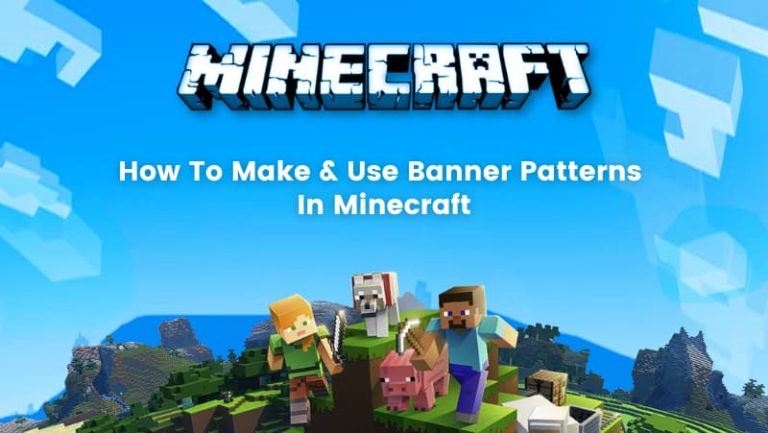
What Are Banner Patterns in Minecraft? A plain Minecraft banner looks fine for a minute. Then the base starts growing, the walls feel empty, and suddenly that flat strip of wool...
Read MoreAll our programs and courses are designed for children aged 6-16 years, with structured learning paths tailored to their age and skill level. We recommend at least two sessions (1 hour each) per week for the best learning experience for this age group.
To ensure student privacy, we do not provide recordings. However, detailed class notes, projects and activities are shared after each session for kids to revise at their own pace.
While there’s no mandatory homework, we do encourage optional practice tasks, projects or games that reinforce class concepts which help your child apply their learning in a fun and engaging way.
Our classes are conducted live on BrightCHAMPS' platform, where students engage with teachers in real time. We offer one-on-one sessions to ensure every student gets personalized attention and learning experience.
A basic laptop or desktop with internet access is perfect. Classes typically run on Zoom. We’ll guide you with any other platform setup instructions (if required) before the course begins!
No prior experience is required for any of our programs. Our curriculum is designed to accommodate both beginners and advanced learners, with structured lesson plans.
We offer flexible scheduling of classes. You can reschedule or cancel classes 12 hours before the session based on availability and learning preferences through the Student Dashboard.
We use cookies for essential site function, analytics, and marketing. You can accept all, reject non-essential cookies, or customize your choices. See our Cookie Policy.