.png?width=456&format=webp&quality=100)


The class was interactive and I was…
The class was interactive and I was able to do hands on games with my quarky.
J
Jayvanth Sakthivelu
Grade 5Reviewed on Trustpilot![]() 8 Aug 2026
8 Aug 2026
.png) 8 Aug 2026
8 Aug 2026.png?width=1440)

Our Immersive
Packed with hands-on activities and cutting-edge tech, this program lets kids build, code and bring ideas to life!
A live, build-first Robotics program where learners assemble real hardware, apply coding logic and turn components into functional machines through guided engineering challenges.
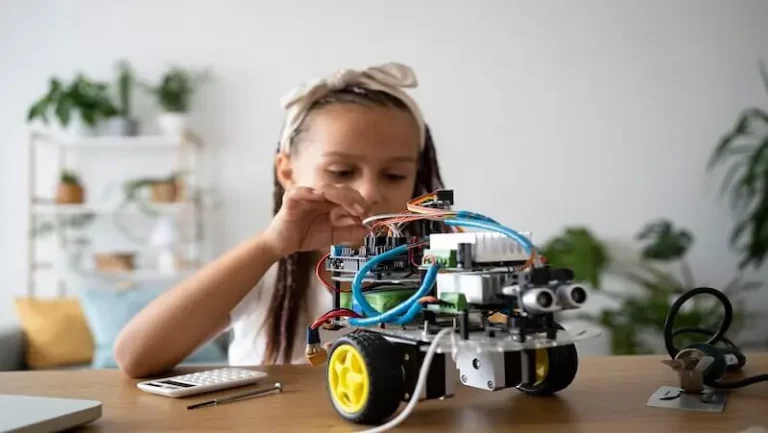
A child understands a machine differently when a wheel turns late, a sensor reads the wrong signal, or a moving build drifts off course after a small change. Robotics puts that kind of learning right in front of the learner, which is why Robotics Classes for Kids can feel more immediate and easier to connect with. Physical parts and simple commands meet in the same build. A child can see why a wheel turns late, a sensor reacts too soon, or a small change makes the whole model behave differently.
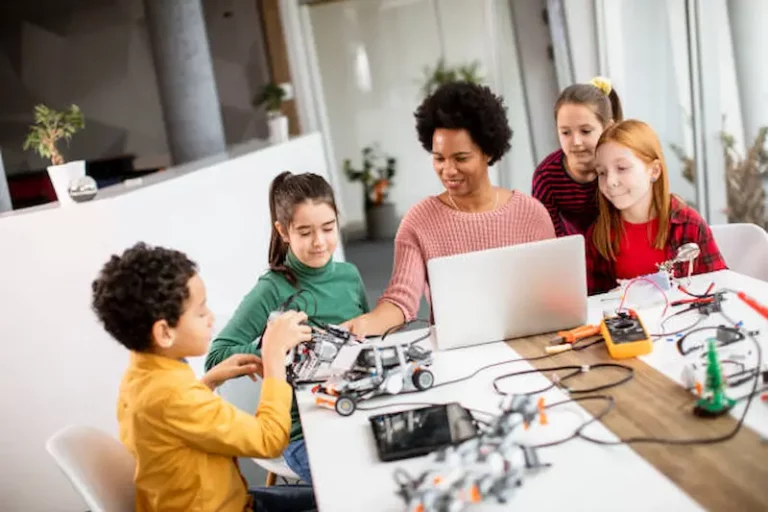
BrightCHAMPS keeps the learning guided, with teachers helping children build, test, correct, and understand how each action connects inside robotics for kids.
Robotics begins to make sense when children can connect each part to a visible job. Motors create motion. Sensors receive information. A control unit passes instructions through the build. Wheels, gears, and moving pieces react according to that sequence. BrightCHAMPS teaches those ideas in a way children can follow without turning the lesson into dense technical talk. The child sees what each part is doing, then understands how the full model depends on those linked functions.
A command means very little until the machine does something with it. One change can alter the timing of a turn. Another can affect speed, direction, or stopping point. Children learn how a line of instruction influences motion in a direct and visible way. In strong robotics for kids classes, that connection gives the lesson weight because the child is not memorising detached terms. The child is watching the result move across the table or screen.
Robotics gives children repeated chances to inspect what went wrong and why. A build may react too slowly. A sensor may trigger at the wrong moment. A moving model may lean, drag, or miss the target path. Each issue gives the learner a reason to check placement, sequence, and response with more care. BrightCHAMPS uses guided builds and structured simulations to help children improve one part of the model without losing sight of the full system.
Children work better when each lesson has a visible path. BrightCHAMPS teaches robotics in a sequence that begins with parts, then moves into response, then into guided testing and correction. The child can see what belongs first and what depends on the earlier step. That structure keeps the class steady and readable, which is important in online robotics classes for kids, where clarity has to carry the lesson from the first minute.
A child may notice that the model moved the wrong way without understanding why it happened. BrightCHAMPS teachers break that moment down. They point to the timing issue, the missed input, or the incorrect response inside the build. This makes the lesson feel much more concrete. The child learns how to read the machine instead of guessing through the problem. Over time, those explanations sharpen the child’s judgement during later builds.
Robotics works best when testing has direction. Random adjustment can create motion, though it rarely produces a clean understanding. BrightCHAMPS guides each trial with a clear reason, whether the class is checking movement, altering response, or reviewing what changed after one input was adjusted. Parents comparing the best robotics classes for kids tend to notice the difference very quickly. The child is experimenting, though the work never loses its teaching purpose.
A robot does not react through one part working alone. Children begin to see how a sensor can affect timing, how a motor can alter balance, and how placement can change the final movement pattern. That habit of reading a build as a connected system gives children a stronger way to think through physical problems. Repeated work in robotics classes for Kids helps them notice links that might otherwise pass by without attention.
Many subjects ask children to imagine what changed after an input was altered. Robotics puts the answer in front of them. A new command can create a sharper turn. A small change in the setup can shift how the machine reacts. Children begin to trust observation because they can see the result rather than infer it from description alone. That kind of learning has a practical force that younger learners respond to very well.
A child may need several attempts before a model responds in the intended way. That process can be frustrating at first, though it becomes productive when the learner understands how to review the mistake and adjust the build with purpose. BrightCHAMPS uses that cycle to help children develop steadier patience and earn confidence. The model finally moving in the right way feels meaningful because the improvement came from thought, effort, and correction.
Qatar gives children a daily view of well-planned systems, from metro stations and smart buildings to airport services, security access, lifts, cooling controls, and automated school facilities. Many children use these systems without understanding how a signal becomes an action. Robotics Classes for Kids in Qatar can turn that everyday exposure into structured learning. A child begins to notice how a machine receives input, how movement is controlled, and why a response changes when one step is adjusted. This makes robotics useful for families who want practical STEM learning beyond worksheets and device use. BrightCHAMPS keeps the experience guided through live teacher-led classes, where children learn through observation, testing, correction, and clear explanation. The focus is not on rushing into complex machines. Children first understand parts, movement, timing, commands, and response. In Qatar, where many families value international schooling, project-based learning, and future-facing education, robotics gives children a hands-on way to understand the systems already present around them.
Many children in Qatar follow school routines shaped by international academic calendars, after-school activities, language learning, and family time. Online robotics classes can give learners practical STEM exposure without adding travel between school, home, and activity centres. This makes the learning easier to manage during busy terms.
A robotics class from home should not feel like another video lesson. The child needs to observe, answer, predict, test, and explain. BrightCHAMPS keeps the session active through guided tasks and teacher-led reasoning, which helps children stay involved in the learning.
Families in Doha, Al Wakrah, Al Rayyan, Lusail, Al Khor, and other areas may not all have the same access to robotics clubs or workshops. Online sessions give children a structured way to learn machine behaviour without depending on a nearby centre.
Robotics can help children approach school projects with better clarity. They learn to explain what changed in a model, why a part responded, and how a correction improved the result.
Some children are intrigued by how metro doors open, lifts stop at the right floor, access cards work, or automatic barriers respond. Robotics gives that curiosity a proper learning route. It satisfies the child’s curiosity. They start linking familiar systems with input, control, timing, and response.
Many children in Qatar’s international and private schools meet project tasks, presentations, and classroom demonstrations. Robotics can suit learners who enjoy making something work and explaining it clearly. The subject gives them a practical model to discuss, rather than only a written answer.
BrightCHAMPS begins classes with the basics like visible movement, simple commands, guided observation, and clear teacher support. A child need not have any prior robotics experience before joining to be able to participate in class. Once the learner understands the basic behaviour of a model, stronger tasks can be introduced with better confidence.
Some children do not connect with an idea until they see it in front of them. Online robotics classes for kids work well for these learners because every small change can create a result they can notice. A model may turn at the wrong point, stop before completing a task, react late, or fail after one instruction is changed. That gives the child something concrete to question. Instead of guessing from theory alone, they can look at the result, ask why it happened, and understand the correction through the model itself.
Children in Qatar grow up around advanced infrastructure and digital services, but use alone does not build understanding. BrightCHAMPS helps children look at technology more carefully. They learn how machines respond, why movements change, and how commands affect behaviour.
Robotics can become confusing when a child follows random videos or jumps between kit instructions. BrightCHAMPS gives the subject a guided order. The learner moves from simple parts and movement to testing, response, and correction through live teacher support.
Parents can be satisfied with their child’s progress when the child explains what they have collected in class. They may describe why a model stops, why a command changes direction, or why a response came late. This shows understanding, not only activity completion.
Many families in Qatar move between school calendars, term breaks, travel plans, and activity schedules. A structured online robotics class gives the child a steadier learning path, even when the family routine changes. The lessons can continue without depending on one local centre or workshop.
Concepts learned by building in real time
Every class delivers a working outcome
Progress measured by what the robot can do
Concepts learned by building in real time
See how your child grows from a curious learner to a confident expert
Understand robotics work fundamentals
Assemble parts of a robot
Program simple robot actions
Add more interactive features
Build functional robot models
Improve designs with innovation
Our shining stars making an impact
I took the Roblox course and together with my teacher, Eric Madison, we made many Roblox games and I have learned a lot. I joined this course particularly because my hobby is coding and I want to make Roblox games.

I study in grade 4 and I am doing the Robotics course from BrightCHAMPS. My teacher's name is Sanjana Velmurugan. She's very kind and friendly with me. I like to do programming with her and she is my favorite. I enjoy my class with her.

Financial Literacy has helped me learn more about finances and how to make good investments. Vedic Math has helped me cope with my homework, geometry and algebra. I really like my teachers in Financial Literacy and Vedic Math.

I would like to thank my sir, Ujjawal. I would also like to thank BrightCHAMPS for giving me this opportunity and providing such a great platform to learn.

Hi Miss Manisha, I’m really enjoying the classes! They’re helping me a lot in my day-to-day life. Sometimes my teacher asks, “Hey Pia, what’s the answer to this problem-solving question?” and I’m like, “Hey, I learned that in my finance class!”
So far, I’ve learned about mining crypto, using a crypto wallet, investing in mutual funds and understanding stocks and bonds. The experience has been great. It’s been fantastic learning with my teacher, Miss Croatia.
I have been taking Financial Literacy classes at BrightCHAMPS. I have learnt various topics such as budgeting, shopping situations and overall literacy in the subject. All of this with the amazing help of my great teacher.

Being a student at BrightCHAMPS has been a truly eye-opening experience. It has helped me understand many financial concepts so I can make better decisions in my future career.
I have been a student since last year October. The lessons are really interactive and my teacher is very thorough with the explanations. If I do not get something in the in a lesson then she helps me understand it and get through the lesson.

At BrightCHAMPS, I'm in the Financial Literacy course and I've been doing it for about 6 months. So far I've really enjoyed my experience. I really recommend it to any young people who are really interested in these subjects.
I have learned so much in coding and I love the way my teacher explains to me the code games. I've improved a lot with BrightCHAMPS. Thank you to BrightCHAMPS and my teacher Ms. Aamina for this amazing journey.
I am currently taking Financial Literacy at BrightCHAMPS. My teacher has been a very supportive teacher and has helped me all throughout. He has taught me NFTs, ETFs and much much more and I want to give Mr. Ashim a big thanks.

I've been learning about Cody Math. It is a really fun experience. And I've been learning about mathematical thinking. It is very fun and interesting. Teacher Pooja has been guiding me to do the projects, the blocks and playing the games.
I'm taking the Financial Literacy course at BrightCHAMPS. My teacher's name is Ashim Garg. I have learned many things from teacher Ashim Garg like cryptocurrencies, stock markets, fintech and many more. So I look forward to study with him.

I love dancing and I was so excited when I got to program my own dance party. It was very fun and my teacher helped me do it. I've only been coding for a few weeks and I feel very proud.
I started coding by chance since 4 months and my favourite projects are The Frog and The Princess and The Flappy Bird and I really like the way my teacher Pooja teaches me.
I've been a student at BrightCHAMPS for the past 3 years, and I've learned Python, JavaScript, HTML, and lastly, CSS. My teacher teaches in fun and interesting ways, which helped me understand the language or the topic really deeply. Thank you!
I'm learning C++ at BrightCHAMPS currently with teacher Afreen. I started with the Scratch website and slowly gained up to Python, HTML and C++. Teacher Afreen is really funny, kind and makes me laugh at the most weirdest time.

I'm studying Financial Literacy at BrightCHAMPS. This course is very incredible because I was able to learn more about finance, entrepreneurship and cryptocurrency. I enjoyed every single bit because of the interactive session, quiz and much more.
Hello everyone, my name is Bảo Phương. I'm learning about finance at BrightCHAMPS. I want to thank BrightCHAMPS for helping me become more confident and practice more through competitions.

The lessons I've learned so far are Scratch and Tinkercad, which I learned from the Google application. My experience while learning with Google is very enjoyable. I can use it to create my own works. Try it, my friends!
Greetings, teachers & educators! I am Hana. Thank you to the teachers and BrightCHAMPS for their invaluable support. I possess a strong foundation in English that support me in expressing in English. I cherish this subject even more.


Hear what parents have to say about us
The class was interactive and I was able to do hands on games with my quarky.
Jayvanth Sakthivelu
Grade 5It was so intriguing learning about a new branch of the teachable machine and using that in picto blox.
Vedika Singh
I am having fun doing coding and robotics.
Seyi Ogunsemi
Grade 2We made a robopet (finished)
James Lim
Grade 6Very supportive. Quick to react to address your concerns. It’s a great company. Rahul is genuinely trying to give the best customer service possible. I recommend this course to all parents who would like to see their children excel in a STEM discipline like Robotics or Mechatronics.
Diego Gómez
Grade 2we are making a robopet (in progress)
James Lim
Grade 5The classes are interesting and I like learning about Robotics and its pretty nice.
Hari Kumar
Grade 1The robotics classes are very good.
Asmita Parajuli
Grade 5We made hand dectect following robot.
James Lim
Grade 3Get the good support to replace the faulty ultrasonic sensor. Soniya help for replacement within couple of days.
Vrushank
Grade 5Miss fiza is the best robotic teacher I ever had because she makes all the lessons fun and easy to understand
Carla Labranche
Grade 2The class was really fun and it was really nice being able to interact with a robot like it was an animal!
Vedika Singh
Grade 2It was really interesting getting to learn on the teachable machine website and train the robot with ML.
Vedika Singh
Grade 5i really like to do robotics it is my favourite thing to do in my whole entire world.
Komal Pathade
Grade 8by how we learned about quarky.I loved making different musical projects in my robotics class.
Komal Pathade
Grade 9i am learning electronics , which is interesting and fun
Zamar
Grade 5Really good at teaching coding, robotics, financial literacy and lots more to kids and teenagers alike
Leonard aeo
Grade 9It gave me some confidence when it comes to robotics in my school.
Gulay Rowson
Grade 1bright champs helps me build robots which can change the future
Yazan Almuiz
Grade 4We had a great time in the robotics sessions led by Dee. The course content is amazing and perfectly suited for kids. I’m glad we chose BrightChamps!
Zara
Grade 5My child is thoroughly enjoying the game development classes with Quraysha Khan. Each concept is explained clearly and patiently. We are excited to continue learning more!
Mia
Grade 4Pooja Nagegowda made learning game development fun and engaging for my child. Each concept is explained clearly and patiently. We are excited to continue learning more!
Charlotte
Grade 4My son/daughter always looks forward to the robotics class with Fizza karjikar. My child is now able to apply these skills in fun projects. My child’s confidence has grown tremendously.
Myra
Grade 6Thanks to Sonam Sharma, my child has developed a strong interest in math. The classes are very well-structured and informative. I’m glad we chose BrightChamps!
Isla
Grade 2Thanks to Jaya Kapoor, my child has developed a strong interest in public speaking. Each concept is explained clearly and patiently. This has been a great learning journey.
Zara
Grade 2My child is thoroughly enjoying the robotics classes with RIMJHIM SAWARKAR. The classes are very well-structured and informative. Very happy with the progress we’ve made so far.
Jack
Grade 5Delia made learning robotics fun and engaging for my child. We saw real improvement in just a few sessions. This has been a great learning journey.
Hudson
Grade 6I am really happy with the game development course being taught by Jaya Kapoor. We’ve tried other programs before, but this one stands out. Highly recommend this teacher and course!
Liam
Grade 6Wendy made learning robotics fun and engaging for my child. The teacher is approachable and always encourages questions. Very happy with the progress we’ve made so far.
Aarav
Grade 5My son/daughter always looks forward to the game development class with Singuru Praveen. The teacher is approachable and always encourages questions. Very happy with the progress we’ve made so far.
Ishita
Grade 2Learning robotics with Aya Mahmoud was an amazing experience. Thanks to the engaging lessons, my child never wants to miss a class. Highly recommend this teacher and course!
Amara
Grade 4Priti Damani made learning robotics fun and engaging for my child. The classes are very well-structured and informative. This has been a great learning journey.
Lucas
Grade 5We had a great time in the robotics sessions led by Simone. Each concept is explained clearly and patiently. We feel lucky to have found such a good teacher.
Jack
Grade 4I am really happy with the robotics course being taught by jalal shwaiky. The classes are very well-structured and informative. This has been a great learning journey.
Mason
Grade 3My teacher is a teacher I get on Saturday with a group of classmates. She is nice and teaches us at the same time. I'm happy to have a teacher like her.
Hannah Müller
Grade 1My son/daughter always looks forward to the robotics class with Singuru Praveen. The teacher is approachable and always encourages questions. Looking forward to enrolling in more sessions.
Mia
Grade 3We had a great time in the robotics sessions led by ABINAYA SHREE. The teaching style is very interactive and student-friendly. We are excited to continue learning more!
Ethan
Grade 6Learning math with Benard Santoso was an amazing experience. The teaching style is very interactive and student-friendly. A fantastic program for young learners.
Ethan
Grade 3Thanks to Benard Santoso, my child has developed a strong interest in game development. The teaching style is very interactive and student-friendly. My child’s confidence has grown tremendously.
Kavya
Grade 4The way Heeba Shaikh explains concepts in robotics is truly impressive. Thanks to the engaging lessons, my child never wants to miss a class. A fantastic program for young learners.
Zara
Grade 5Thanks to Dhanjit Sarma, my child has developed a strong interest in math. Thanks to the engaging lessons, my child never wants to miss a class. I’m glad we chose BrightChamps!
Cooper
Grade 4I loved the way DEEPANSHU ARYA taught financial literacy. Every session was fun and informative. My child is now able to apply these skills in fun projects. I’m glad we chose BrightChamps!
Ethan
Grade 5Really good experience with BrightChamps and my teacher Sawsan Hisham. She is really funny and nice and she taught me coding; now she’s teaching me robotics.
Sara Ali
Grade 7My daughter attended BrightChamps more than two years ago. She had a great experience learning the basic concepts of robotics and coding. They provide excellent instructors who are not only knowledgeable but also have amazing teaching styles.
Arif Azim
Grade 9Hi. I am Ben. I had a great expérience learning with brightchamps mainly because i learn how how different robotic component works and try it my self. and that makes learning fun. We also build a lot of creative projects and my teacher always sure i understand the whole concept before proceeding. Despite that they have changed a lot of teachers since i have started brightchamps it is really great working with brightchamps.
ben kemgo
Grade 4This teacher is An amazing robotics teacher. She makes every class fun and I look forward to my classes each week!
Manoja Nuthalapati
Grade 2Kavali bhavani made learning public speaking fun and engaging for my child. Each concept is explained clearly and patiently. I appreciate the patience and clarity of the teacher.
Mason
Grade 1I loved the way Ola Abo taught financial literacy. Every session was fun and informative. We saw real improvement in just a few sessions. We feel lucky to have found such a good teacher.
Ethan
Grade 1My son/daughter always looks forward to the financial literacy class with FARHA SHAIKH. The course content is amazing and perfectly suited for kids. We are excited to continue learning more!
Lucas
Grade 6We had a great time in the robotics sessions led by Dhanjit Sarma. We’ve tried other programs before, but this one stands out. I’m glad we chose BrightChamps!
Lucas
Grade 5Herrick Madison made learning robotics fun and engaging for my child. My child is now able to apply these skills in fun projects. A fantastic program for young learners.
Hannah
Grade 4Herrick Madison made learning robotics fun and engaging for my child. My child is now able to apply these skills in fun projects. A fantastic program for young learners.
Hannah
Grade 4My son/daughter always looks forward to the robotics class with Maria Leswinda. The course content is amazing and perfectly suited for kids. I’m glad we chose BrightChamps!
Evie
Grade 6I am Mrs. Meera, mother of Rayaan. We are taking robotics classes with Priti Damani and it's been great. My child is now able to apply these skills in fun projects. Looking forward to enrolling in more sessions.
Emma
Grade 3Learning robotics with jalal shwaiky was an amazing experience. My child is now able to apply these skills in fun projects. This has been a great learning journey.
Vivaan
Grade 1I loved the way Jaya Kapoor taught financial literacy. Every session was fun and informative. Each concept is explained clearly and patiently. A fantastic program for young learners.
Noah
Grade 6Mr. Sankha Moitra is an amazing robotics teacher who truly knows how to make learning fun.
Ethan Williams
Grade 3Mr. Sankha Moitra is an amazing robotics teacher who truly knows how to make learning fun.
Omar Farouk
Grade 9I loved the way Jaya Kapoor taught financial literacy. Every session was fun and informative. Each concept is explained clearly and patiently. A fantastic program for young learners.
Noah
Grade 6My child is thoroughly enjoying the robotics classes with Heeba Shaikh. We saw real improvement in just a few sessions. This has been a great learning journey.
Jack
Grade 5Browse a wide range of expertly designed courses tailored to every age and skill level.
Browse a wide range of expertly designed Blogs tailored to every age and skill level.
You check your phone, respond to a message, look something up in seconds, and carry on with your day. These little things feel completely normal, but each one runs on systems...
Read MoreAll our programs and courses are designed for children aged 6-16 years, with structured learning paths tailored to their age and skill level. We recommend at least two sessions (1 hour each) per week for the best learning experience for this age group.
To ensure student privacy, we do not provide recordings. However, detailed class notes, projects and activities are shared after each session for kids to revise at their own pace.
While there’s no mandatory homework, we do encourage optional practice tasks, projects or games that reinforce class concepts which help your child apply their learning in a fun and engaging way.
Our classes are conducted live on BrightCHAMPS' platform, where students engage with teachers in real time. We offer one-on-one sessions to ensure every student gets personalized attention and learning experience.
A basic laptop or desktop with internet access is perfect. Classes typically run on Zoom. We’ll guide you with any other platform setup instructions (if required) before the course begins!
No prior experience is required for any of our programs. Our curriculum is designed to accommodate both beginners and advanced learners, with structured lesson plans.
We offer flexible scheduling of classes. You can reschedule or cancel classes 12 hours before the session based on availability and learning preferences through the Student Dashboard.
We use cookies for essential site function, analytics, and marketing. You can accept all, reject non-essential cookies, or customize your choices. See our Cookie Policy.