📅 Published: June 6, 2023 🔄 Updated: March 18, 2026
Your child gets stuck on a level, gets annoyed, and then tries again. They change one step, test it, and suddenly the character moves the right way. That moment is not luck. That is basic programming in action, without the scary “coding class” label.
Well-built children’s programming games turn that trial-and-fix habit into a learning routine. The child gives instructions, runs them, checks the outcome, and then corrects what failed. You can see the thinking on the screen because every change creates a visible result.
Good coding games for kids teach a small set of core skills through repeated practice:
- Sequencing means placing actions in the right order to reach an outcome.
- Loops mean repeating an action without rebuilding the same step many times.
- Conditions mean using an “if” rule to decide what happens next.
- Events mean reacting to a click, a key press, or a timer.
- Debugging means finding the wrong step and correcting it.
In strong free coding games for kids, children do tasks that you can clearly observe. They guide a character through a maze using a short command chain. They create an animation that repeats a pattern at the right time. They build a simple click game that reacts to an answer or a tap. They add a rule like “if the character touches the wall, then move back.”
Many online coding games for kids also manage difficulty in a responsible way. Early levels use clear icons, short instructions, and instant feedback. Later levels reduce hints and force children to plan before they run code. This progression keeps learning real, because children must think instead of guessing.
What Are Coding Games for Kids?
Programming games for children are games where the child solves a problem by building a set of instructions. The screen shows the result right away, which makes it easy to see what worked and what failed. A maze level is a simple example. The child chooses actions, runs them, then changes a step until the character reaches the target.
Most beginner platforms start with block coding because it removes typing pressure. Kids drag blocks like “move,” “turn,” “repeat,” or “wait” and snap them into a sequence. If the character overshoots a turn or hits a wall, the child must fix the order, add a loop, or change the number of steps. That is practical logic practice, and it is visible.
Some platforms later introduce text coding through short commands, once reading is comfortable. A child might learn loops through blocks first, then write the same idea as a simple line. This stage works better when the child can handle small spelling or punctuation errors without getting stuck.
When you evaluate online coding games for kids, look for signs that the game is teaching, not entertaining alone. A reliable game usually includes these behaviours during play:
- The child must plan a short path before hitting the run button.
- A wrong step produces a clear mistake on screen.
- The level rewards fixing the error, not guessing faster.
That structure is why free coding games for kids can work as an entry point for many families. The child learns sequencing, looping, and debugging through visible feedback, and each run teaches something concrete.
Benefits of Free Coding Games for Kids
Clear problem-solving practice
A child gets one task, one set of commands, and one visible result. That setup teaches children to test an idea, read the outcome, and change the steps with purpose. In strong free coding games for kids, progress comes from solving the level, not from tapping faster.
Step-by-step thinking
Coding games teach children that order changes everything. A turn placed too early can send a character into a wall. A repeated action can save time and simplify the path. These small moments help children think in sequence instead of acting at random.
Early debugging habits
Mistakes are easy to spot in a good game. A character misses the target, a move happens too soon, or a loop runs too long. The child learns to locate the wrong step and fix it. That is early debugging, and it builds patience along with logic.
Better focus through short challenges
Many coding levels are short enough for younger learners. A child can finish one puzzle, see the result, and move to the next with interest still intact. This format works well for children who learn better in short bursts than in long lessons.
Confidence through visible progress
Children can see their own improvement when levels start feeling easier and solutions get cleaner. Parents can see it too. A child who once clicked at random may begin explaining why a sequence failed and how they fixed it. That shift builds real confidence.
Top Free Coding Games for Kids Your Kids Will Love
This list focuses on platforms that teach real logic through play. Each option fits a different age range and learning style. Many families mix two options, depending on the child’s interest.
1. Scratch (Age range: 8–16)
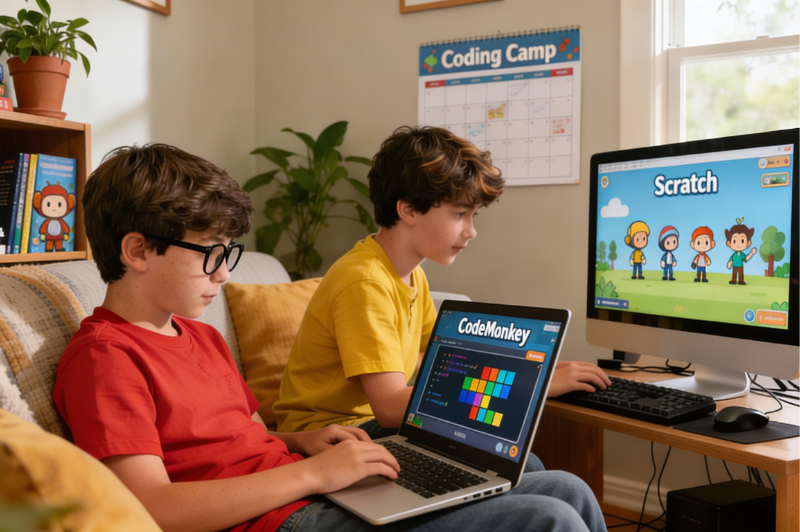
Scratch uses blocks and lets kids build stories, animations, and simple games. A child can add a sprite, set movement, attach sound, and create rules through events and loops.
2. Code.org (Age range: 4–18)
Code.org uses short visual activities to teach coding in a steady order. Younger kids begin with simple actions, then move toward loops and conditionals through familiar themed lessons.
3. CodeMonkey (Age range: 8–14)
CodeMonkey is built around puzzle solving and brings in real code quite early. Kids complete tasks with typed commands, which helps link block-based thinking with written syntax.
4. CodinGame (Age range: 10 and above)
CodinGame works well for older kids who like challenge-based learning. The platform includes coding puzzles in different languages and formats, and suits children with a basic logic foundation.
5. CodeCombat (Age range: 9 and above)
CodeCombat blends role-playing with real coding. The child writes code to move a character, attack, collect items, or finish a mission. The feedback feels immediate in play.
How to Choose the Best Children’s Programming Games
Match the game to reading comfort
For younger children, block-based play is usually easier because typing can slow them down. For older children who read comfortably, short written commands may feel exciting instead of frustrating.
Check what happens after a mistake
Watch how your child reacts after an error. A strong learning game makes the mistake easy to understand. A weak one leaves the child clicking around with no real clue.
Look for gradual progression
Good children’s programming games introduce one new idea at a time. A child should first understand sequence, then repetition, then simple decisions. When a platform throws too many commands at once, attention breaks and confidence drops.
Review safety and sharing features
Some platforms include public project sharing or community spaces. These can motivate children, though parents may prefer supervision and privacy controls. Review these features before regular use.
Test the game with one level
Sit beside your child for one level and ask what changed after the fix. If the child can explain it clearly, the game is probably teaching something real.
Tips to Engage Kids With Programming Games for Children
- Keep the session brief. Fifteen focused minutes usually work better than a long stretch that leaves your child tired or restless.
- Stop at a sensible point. Finishing after one solved level or one honest try makes the next session easier to start.
- Ask one small question after the play. “What changed?” or “Why did that work?” can tell you whether your child understood the level.
- Praise the fix, not the finish. A child learns more from noticing an error and correcting it than from rushing through a puzzle.
- Mix structured levels with creative tasks. One day can be puzzle play, while another can be building a short animation or mini game.
- Follow your child’s preference. Some enjoy open-ended projects, while others prefer missions, levels, and a clear target on screen.
- Pay attention to early frustration. If your child keeps getting stuck and cannot tell what went wrong, change the level or take a short break.
- Step back in difficulty if the level feels too heavy. An easier task can help your child recover and continue with less pressure.
Conclusion – Encourage Your Child’s Coding Journey
The best online coding games for kids turn a screen into a place where children think, test, fail, adjust, and try again. That pattern helps build logic, persistence, and attention to detail through action.
A good start does not need expensive tools or long lessons. It needs the right fit. Choose a game that matches your child’s age, reading comfort, and interest. Watch one full session closely. Listen for signs of real thinking. When a child explains why the character missed a turn, or why a loop fixed the level, learning is already happening.
If your child wants deeper support after those early steps, BrightCHAMPS CodeChamps offers guided coding lessons built around projects, teacher support, and structured progression. The BrightCHAMPS blog also includes practical resources for families exploring coding, robotics, and game development.
Frequently Asked Questions
1. What age is best for coding games?
There is no fixed age for every child. Some start at four with visual puzzles. Others do better later, once reading improves and following instructions feels easier.
2. Are coding games safe for children?
They usually are, though parents should still check the platform first. Games with chat, comments, or public sharing need closer watching than private puzzle-based coding activities.
3. Can kids learn real coding skills from games?
They can, when the game makes them plan, test, and fix mistakes. That kind of play builds sequencing, loops, logic, and early debugging in a practical way.