📅 Published: May 26, 2023 🔄 Updated: August 11, 2026
Robotics Kits for Elementary Students & Kids – Best Picks and Guide
Interest can fade fast when a child opens a robotics kit expecting movement or response and gets nothing back. When it works as expected, they stay engaged longer and attempt it again.
This initial experience influences what follows. The right robotics kits for elementary students make it easy to start, show clear results, and keep children curious without overwhelming them.
Many parents look at features or brands first. What actually matters is how the child reacts while using it. This guide focuses on that, so you can choose something your child will actually enjoy using.
What Are Robotics Kits for Elementary Students?
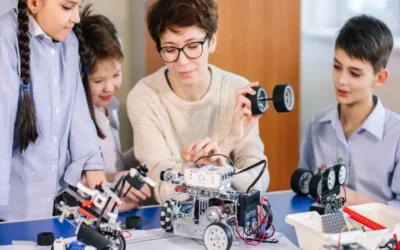
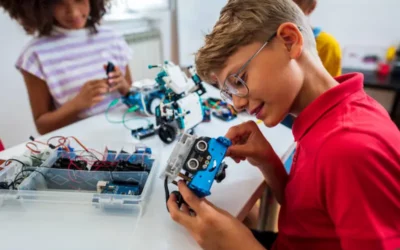
Robotics kits for kids are essentially sets of components that connect and operate once assembled correctly. These kits usually include elements such as motors, wires, compact boards, and a control unit that directs how the robot functions.
Most kits come with a guide, either on paper or through an app. Some tell you exactly what to build. Others just give you the parts and a few starting ideas.
They are made so kids don’t need tools or prior knowledge. Everything fits in a way that is manageable without outside help.
Why Robotics Kits for Kids Are Great for Learning
Most learning at this age depends on listening, reading, or writing. With educational robotics kits, the process shifts to doing.
Children are not working with abstract ideas. They are dealing with parts they can hold, arrange, and connect. This makes it easier to follow what is happening without needing long explanations.
Another difference lies in pace. A worksheet moves at the same speed for everyone. Robotics kits for elementary students allow children to slow down, pause, or move ahead based on how comfortable they feel with the activity.
For many children, this makes learning feel less like a task and more like something they choose to continue.
Benefits of Robotics Kits for Elementary Students
When children use robotics kits for elementary students, the difference is easier to notice in how they behave during the activity, not in what they say after.
- Staying with one task: Some children who usually switch activities quickly will sit longer trying to get one thing working.
- Trying without asking: Instead of calling a parent immediately, they adjust a part or change something first.
- Following an order naturally: They stop skipping steps because things do not work unless done in sequence.
- Less frustration exit: Even when something fails, they don’t leave right away. They try once or twice more.
- Paying attention to small changes: They notice when a tiny adjustment changes how the robot moves.
These are small shifts, but they show up clearly when the child is using the kit regularly.
Types of Robotics Kits for Kids (Recommended Products)
Not all robotics kits for kids feel the same once a child starts using them. Some are straightforward and guided. Others feel open, where there is no single “correct” way to use them. A few are built around one specific thing, like flying or sensing movement.
What works depends on the child. Some stick with step-by-step builds. Others lose interest unless they can change things freely.
LEGO Mindstorms EV3 – Features & Best For Age
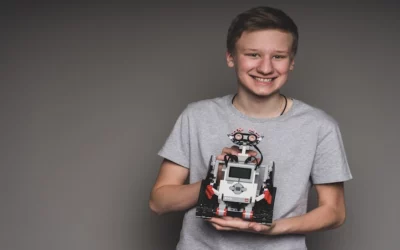
This one feels like building something real. There are a lot of parts, and the setup takes time. The first build usually follows instructions closely, but after that, children start pulling things apart and trying their own versions.
It suits kids who don’t mind spending time just getting the structure right before anything moves.
Robolink CoDrone Pro – Learning Focus & Benefits
Very different from table kits. Once it’s assembled, everything shifts to controlling it in the air.
Most children don’t get it right in the first few tries. That’s where they stay with it longer, trying to fix how it turns or lands instead of leaving it halfway.
Sphero Bolt – Creative Project Ideas
No long setup here. You open the app and start moving it around.
Children usually turn it into small challenges on their own. Making it follow a path, changing speed, and testing how it reacts. It feels more like playing, but they keep adjusting things without being told.
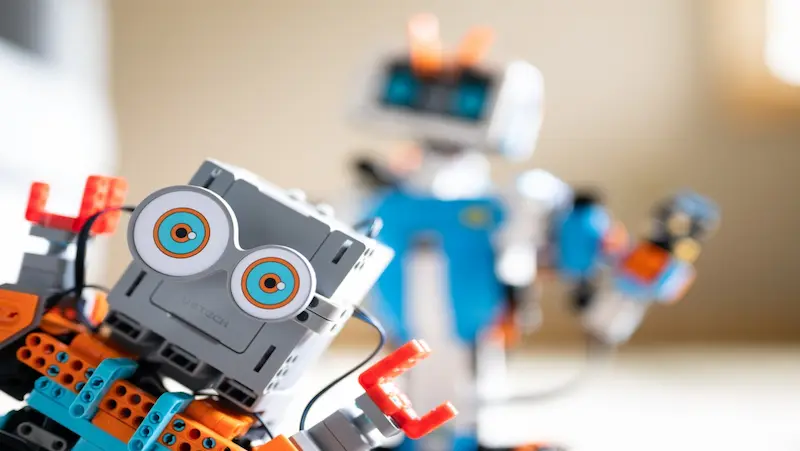
UBTECH Jimu Robot Builderbots Kit – Beginner-Friendly Robotics Kit
This is easier to get started with. The app shows exactly what to do, so children don’t get stuck early.
After a couple of builds, they stop checking every step. They begin skipping ahead, then going back when something doesn’t fit.
Makeblock mBot Ranger – Advanced Robotics Kit for Older Kids
This one takes patience. It doesn’t come together quickly, and not everything works the first time.
Older kids usually stay with it longer because there’s more to figure out. They spend more time fixing and changing things than just finishing it.
How to Choose the Right Robotics Kit for Your Child
Start with what your child actually enjoys doing. Some kids will sit and build for a long time. Others want something to work quickly, or they move on. If the kit takes too long to show results, it usually gets left aside after one try. A simpler kit often works better in the beginning because it gets them involved without much waiting.
Also, check how the kit explains things. Long manuals don’t work for most children. Visual steps or app guides are easier to follow. Notice what pulls your child in: movement, lights, or just building something piece by piece. This interest decides how often the kit gets used. If you want them to go further, pairing it with robotics courses for students gives them direction after the basics.
Robotics Activities You Can Do With Kids’ Robotics Kits
Once children get comfortable using a kit, the next step is keeping things interesting. Simple tasks can turn into fun robotics projects for kids when you add small challenges or change how they use the same setup.
- Path-following challenge: Create a simple route using tape or markers and ask your child to make the robot follow it without going off track.
- Block its way on purpose: Put random objects in front of the robot and see how it deals with them. Some children keep adjusting direction again and again just to get past one obstacle.
- Slow it down, speed it up: Instead of just making it move, ask them to change how it moves. Faster, slower, stopping in between. They usually start noticing patterns on their own.
- Give it a job: Move something from one spot to another. Even a small object works. It sounds simple, but getting it right takes a few attempts.
- Creative storytelling setup: Turn the robot into a character and build a small scene where it performs actions as part of a story.
- Timed build and test challenge: Give a time limit and ask your child to complete a task, then improve it in the next attempt.
These activities keep children engaged without needing new kits every time. Small changes in the same setup are usually enough to create something new.
Age-Wise Robotics Kit Suggestions
Choosing between different robotics kits for elementary students becomes easier when you match the kit to the child’s age and patience level. What works for a younger child may not keep an older one interested for long.
Robotics Kits for Ages 5–7
At this age, things need to work quickly or interest drops. Long setups usually don’t hold attention. Kits with fewer pieces and simple connections work better. Children follow visuals more easily than written steps, and even a small response like movement or light is enough to keep them trying.
Robotics Kits for Ages 8–12
Children here don’t mind spending more time before seeing results. They stay with longer builds and are fine with handling more parts. After a few attempts, many stop following instructions exactly and begin changing things just to see what happens, which is where they spend most of their time.
Safety Tips for Using Robotics Kits for Kids
When children use robotics kits for elementary students, most problems come from small things getting missed during setup or use.
- Parts get mixed up quickly if left scattered.
- Loose connections are a common reason things don’t work.
- Building on uneven or crowded surfaces makes it harder to track pieces.
- Forced parts can damage them without the children realising.
- Leaving everything out makes the next use confusing.
- Skipping basic instructions often leads to avoidable mistakes.
These small checks usually prevent most issues during regular use.
FAQ’s
What actually happens when a child starts using a robotics kit?
In the beginning, most children follow the guide closely. After a few attempts, they start skipping steps, changing parts, and checking what still works.
How do you know if a kit is right for your child?
If your child comes back to it without being reminded, it works. If it gets used once and left aside, it was probably too complex or not interesting enough.
Do children need coding experience before using these kits?
Children usually start with simple controls or visual instructions. Understanding develops gradually as they spend more time using the kit and trying different changes.
Why do some kids lose interest in robotics kits quickly?
It usually happens when the setup takes too long, or nothing works in the first attempt. If results come early, they stay with it longer.