
📅 Published: September 1, 2026 🔄 Updated: September 25, 2026
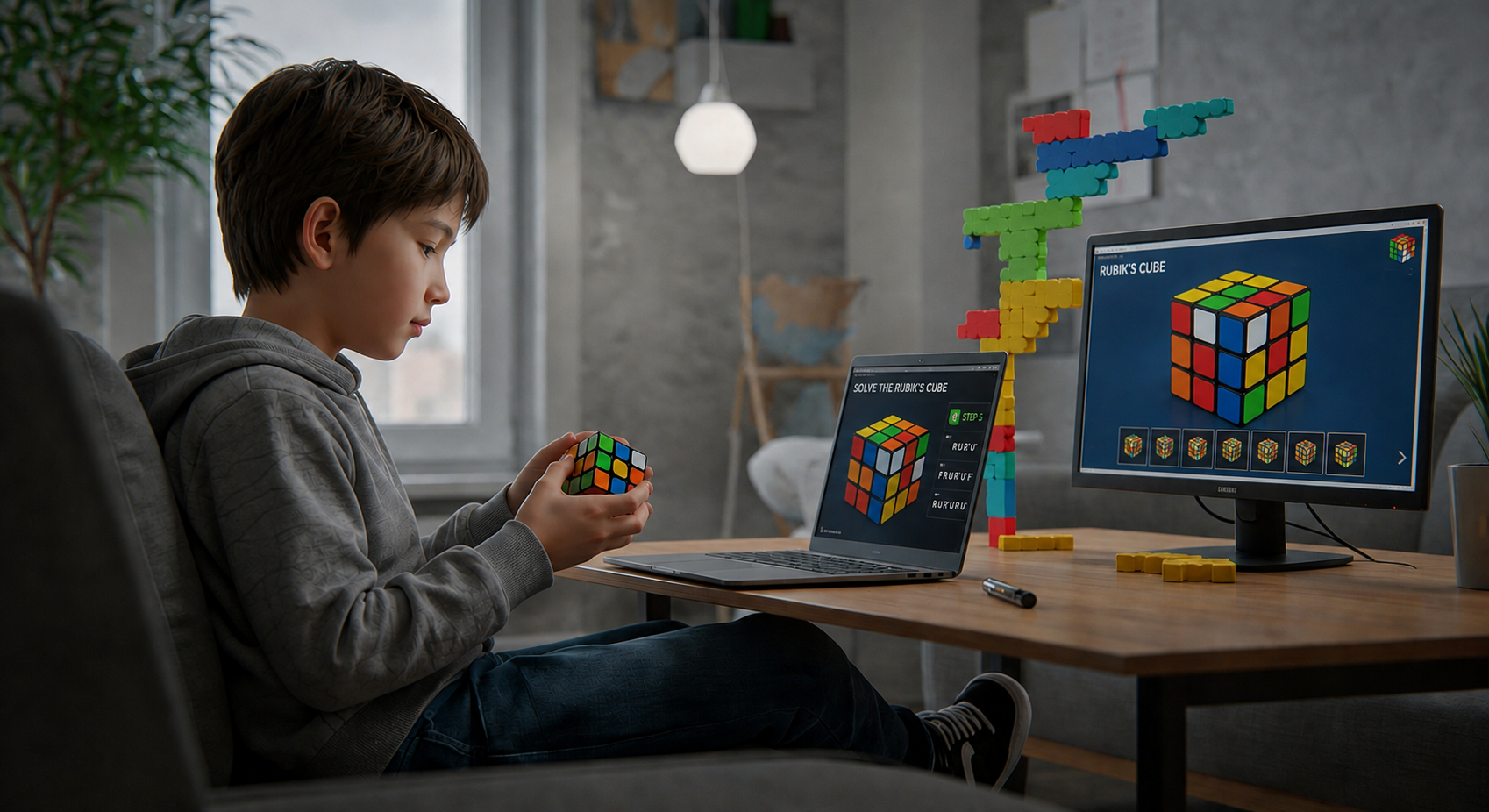
A Rubik’s Cube solver can rescue a scrambled 3×3 when a learner loses an algorithm, inherits a mixed cube, or wants to check whether the puzzle is solvable. The tool records all 54 stickers, calculates a legal route to the solved state, and presents the moves as notation, arrows, or animation. The calculation is quick; accurate colour entry requires more care.
Browser tools suit occasional use because nothing needs installing. Camera apps reduce tapping, although glare can confuse similar shades. Desktop software offers deeper analysis. This blog compares practical options available in July 2026 and explains their strengths, limits, and learning value.
What Does a Rubik’s Cube Solver Do?
A solver converts the sticker pattern into a digital cube state. Every corner and edge must contain a possible colour combination, and each colour must appear nine times on a standard 3×3. After validating the state, the program searches for moves that restore all six faces.
Solutions normally use standard notation. R turns the right face clockwise when viewed directly; R’ reverses it, and R2 means a half-turn. Animated solvers show the same instructions visually for learners who are still learning the letters.
Solvers have different priorities. Some produce short computer routes, while others slow the solution into beginner-friendly steps. The shortest sequence may not be the easiest one to follow.
How to Use an Online Rubik’s Cube Solver
1. Check the Centres and Colour Scheme
The six centres identify the faces because they remain fixed relative to one another on a standard 3×3. Most tools specify an upper and front colour. Match that orientation exactly; rotating the physical cube differently while entering faces can create an invalid state.
2. Enter or Scan All Six Faces
Manual tools provide a colour palette and blank cube. Camera solvers scan one face at a time. Use even light, hold the face square to the lens, and compare every detected sticker with the physical cube before continuing.
3. Run the State Check
A reliable online Rubik’s Cube solver rejects an invalid arrangement. Recount all six colours and inspect red-orange or white-yellow stickers, which scanners commonly confuse.
4. Follow One Move at a Time
Keep the physical cube in the orientation shown. Complete one move, pause when needed, and compare it with the digital model. Do not rotate the whole cube unless the tool explicitly changes the viewing position.
5. Review the Finished Solve
Finishing the cube proves that the entered state matched the moves; it does not teach the method automatically. Replay the solution to locate where a manual attempt failed. Learners can then use our guide on how to solve a Rubik’s Cube to practise the full process.
Manual Entry vs Camera Scanning
Manual entry is slower, but it gives the user full control over every sticker and works on devices without camera access. It is often the safer choice for cubes with unusual shades, faded stickers, transparent plastic, or patterned centres. The main risk is orientation: after completing one face, the cube must be turned exactly as the virtual model expects.
Camera scanning is quicker when lighting is even and the cube uses standard colours. Clean the lens, avoid direct reflections, and place the cube against a plain background. Treat the scan as a draft, not a final answer. Correcting one mistaken sticker before calculation is easier than discovering the mismatch halfway through the solution.
What a Solver Cannot Replace
A solver does not develop inspection, case recognition, finger control, or memory by itself. It also cannot explain why a child repeatedly turns the wrong face unless the learner reviews the steps. Use the software to recover, verify, and investigate. Independent practice is still needed before the cube can be solved confidently without a screen. A short written note after each attempt makes repeated errors easier to recognise, explain, and avoid during the learner’s next independent scramble.
For teaching, the most useful moment comes after the cube is solved. Ask which pieces moved together, where the first wrong turn occurred, and whether the displayed route resembles a known trigger. These questions convert a one-time rescue into evidence the learner can use during the next independent attempt. Recording that lesson gives each new practice session a clear starting point later.
Best Rubik’s Cube Solver Tools and Apps
Tool | Best for | Input | Platform |
Ruwix | Quick browser solving | Manual or camera | Web |
Grubiks | Clear 3D instructions | Manual | Web |
CubeUnstuck | Camera scanning without installation | Camera or manual correction | Web |
ASolver | Many twisty puzzles | Camera or manual | Android and iOS |
CubeX | Solver, timer, and virtual practice | Camera or manual | Android |
Cube Solver | Several cube sizes and puzzle types | Manual description | Android and iOS |
Cube Explorer | Advanced 3×3 analysis | Manual state or moves | Windows |
Availability, pricing, advertisements, and device support can change. The table reflects official pages and store listings checked in July 2026.
Ruwix Online Cube Solver
Ruwix provides a free browser-based Rubik’s Cube solver online for a 3×3. Users can enter stickers manually or scan supported cameras, with no download required.
Its site also includes notation guides, tutorials, a timer, simulators, and patterns. That context helps learners understand a move instead of merely copying it. Always verify camera-detected colours first.
Grubiks 3D Rubik’s Cube Solver
Grubiks uses an interactive three-dimensional cube. Paint the virtual stickers, press Solve, and follow the animated sequence. The model rotates on screen, which helps users who find flat diagrams difficult.
It also hosts solvers and playable models for other puzzles. Manual entry takes longer than scanning but avoids colour-recognition errors caused by glare.
CubeUnstuck Camera Solver
CubeUnstuck is a web option built around phone or webcam scanning. Its site states that it needs no account or installation and provides a three-dimensional step sequence.
It also checks for impossible states, including twisted corners. This can help when a cube was dismantled or reassembled incorrectly. Users should still compare every scanned colour with the real puzzle.
ASolver for Multiple Twisty Puzzles
ASolver is available on Android and iOS. It scans puzzles with the camera, then displays an interactive model or move list. Current listings include 2×2 through 6×6 cubes, Pyraminx, Megaminx, Skewb, Void Cube, Ivy Cube, and other shapes.
Its broad support suits households with several puzzle types. Store descriptions also mention detecting incorrectly reassembled puzzles. Parents should review camera permissions, advertisements, and purchases before installation.
CubeX Solver, Timer, and Virtual Cube
CubeX combines a Rubik Cube solver online style workflow with an Android timer and virtual 3D cube. Users can scan a physical puzzle or enter its state manually, then test algorithms without disturbing the real cube.
The timer makes it useful after the first solve. Store reviews also underline the need to correct camera errors when lighting makes red, orange, white, or yellow difficult to distinguish.
Cube Solver for Different Puzzle Types
JeffProd’s Cube Solver is listed for Android and iOS. Current pages describe 3D solutions for 2×2 variants, 3×3, 4×4, 5×5, Skewb, Pyraminx, Ivy Cube, and other puzzles.
It suits users who prefer manual input and own several puzzle types. Its approximate move counts describe computer solutions, not the CFOP, Roux, or beginner methods used by human solvers.
Cube Explorer for Advanced Users
Herbert Kociemba’s Cube Explorer is free, non-commercial Windows software built from mathematical research. Version 5.14 supports Windows through Windows 11 and can calculate short 3×3 solutions, inspect symmetries, and analyse move sequences.
It is powerful but less friendly for a first solve because it assumes comfort with notation and desktop software. Its two-phase approach has influenced many later cube-solving programs.
How to Choose the Right Solver
Choose by purpose, not by a claim of being fastest. A browser tool is enough for one stuck 3×3. A camera app saves input time, a multi-puzzle app suits larger collections, and desktop software supports technical analysis.
For children, favour large animation, pause controls, clear orientation markers, and no compulsory account. Families seeking explanation rather than one-off rescue may prefer online Rubik’s Cube classes, where an instructor can identify why the solve failed.
Consider the learning aim as well. Researchers may value short move counts, but beginners benefit from a slower sequence with notation help and replay controls.
Why a Solver Says the Cube Is Invalid
The simplest cause is colour entry. A standard 3×3 has nine stickers of each colour. Recheck every face and make sure the program’s centre orientation matches the physical cube.
Another cause is an impossible piece combination. Each edge and corner has fixed colours; a red-white edge cannot become red-yellow. Glare frequently affects white, yellow, red, and orange.
The physical puzzle may also be unsolvable. Legal turns cannot create one flipped edge, one twisted corner, or a swap involving only two pieces. Such states usually mean a piece was twisted by hand or the cube was reassembled incorrectly.
Can a Rubik’s Cube Solver Help You Learn?
Yes, when used as a diagnostic aid. Ask the learner to predict a move, pause after a short sequence, and identify which pieces changed. Compare the computer route with a beginner method.
Scanning every scramble immediately teaches little. Our Rubik’s Cube for beginners guide provides a repeatable method once the immediate problem is fixed.
A useful routine is “try, diagnose, retry.” Attempt the solve alone, use the tool to find the first mismatch, then solve another scramble without assistance.
Safety and Privacy Checks for Children
Use official websites or recognised app stores. Avoid modified files, download mirrors, and unrelated browser extensions. A cube solver does not need a school login, payment-card number, or private-message access.
Camera scanning requires camera permission. Review image handling, personalised advertising, in-app purchases, and external communities before a child installs an app.
Keep faces, usernames, school materials, and room details outside the frame. Disable camera access after scanning or use manual entry when privacy is the priority.
Conclusion
The best Rubik’s Cube solver matches the puzzle, device, and purpose. Ruwix and Grubiks are practical browser choices; CubeUnstuck adds camera scanning; ASolver covers many puzzles; CubeX combines solving and practice; Cube Solver supports several shapes; and Cube Explorer serves advanced analysis.
Whichever tool you choose, verify every sticker, preserve the displayed orientation, and copy one move at a time. Then return to a manual method. A solver restores today’s scramble, while learning how to solve a Rubik’s Cube prepares the learner for the next one.
FAQs
Are online Rubik’s Cube solvers accurate?
They are accurate when the full cube state is entered correctly and the physical puzzle is valid. Most failures come from a wrong sticker colour, incorrect face orientation, or a cube that was twisted or reassembled illegally.
Can a Rubik’s Cube solver use my camera?
Some browser tools and mobile apps scan each face through the camera. Check every recognised colour before solving because glare and similar shades can cause mistakes. Manual input remains available in many tools.
Which Rubik’s Cube solver is best for beginners?
A beginner should choose clear three-dimensional animation, pause controls, notation help, and simple correction of entered colours. Ruwix, Grubiks, and several mobile apps offer these features, but device compatibility and current pricing should be checked.
Why can no solver solve my Rubik’s Cube?
First recount the colours and re-enter the faces in the required orientation. If the state remains invalid, one edge may be flipped, one corner twisted, or pieces may have been reassembled incorrectly after the cube was opened.
Do Rubik’s Cube solvers always give the shortest solution?
No, some programs search for very short routes, while others prioritise speed of calculation, animation, or beginner-friendly steps. A computer-generated solution may also differ greatly from the layer-by-layer or CFOP method used by human solvers