Two parents chatting after school drop-off!

Sound familiar? Many parents are asking the same thing in 2025. With technology shaping every career, coding is no longer just for software engineers; it is becoming as essential as math and reading. However, beyond coding, parents also face broader challenges, including a lack of personal attention, screen fatigue and the struggle to keep kids motivated.
We have got everything packed in here: Why coding really matters for kids in 2025, the hurdles they face online and how BrightCHAMPS, Tynker and CodeMonkey stack up as the best coding classes for kids. You will get the quick comparison, platform overviews, the big challenges, plus a neat wrap-up with FAQs to help you decide on the best coding classes for kids this year.
Table of contents
- Quick Comparison: Best Coding Classes for Kids – BrightCHAMPS vs Tynker vs CodeMonkey
- Why Coding In 2026 – Why The Best Coding Classes For Kids Matter
- Platform Overviews – Key Features Of Each Platform
- Learning Challenges – Common Struggles
- So Who Wins?
- FAQs – Quick Answers About The Best Coding Classes For Kids
Quick Comparison: Best Coding Classes for Kids – BrightCHAMPS vs Tynker vs CodeMonkey

👉 Book a BrightCHAMPS trial class today and see how your child learns with live, hands-on projects.
Why Coding In 2026 – Why The Best Coding Classes For Kids Matter
Now that we have compared BrightCHAMPS, Tynker and CodeMonkey, let’s see why coding matters in 2026. The best coding classes for kids go beyond puzzles or screen time, building problem-solving, creativity and confidence. With online coding classes for kids on the rise, the impact of coding platforms for kids will only grow.

👉 Give your child the edge in 2026 with coding, AI and future-ready skills with BrightCHAMPS. Start with a free trial class today.
Platform Overviews – Key Features Of Each Platform
Sometimes comparing the online coding classes for kids can feel like scrolling through endless tabs, right? One promises fun, another talks about puzzles and then there’s one that claims to teach everything. Parents just want to know, “Okay, but what does each really do?”
Let’s break it down in simple terms. Here’s what each platform actually brings to the table when it comes to the best coding classes for kids.

Learning Challenges – Common Struggles
Online learning is full of promise, but parents know it comes with a fair share of bumps. From short attention spans to tech hiccups, here are some common struggles and how each platform approaches them.
1. Personal Attention
In large online classes, it’s easy for kids to feel unseen.
- BrightCHAMPS: Live 1:1 and small groups ensure individual focus.
- Tynker & CodeMonkey: Mostly self-paced, so progress depends on a child’s independence.
2. Practical Learning
Kids remember more when they do rather than just listen.
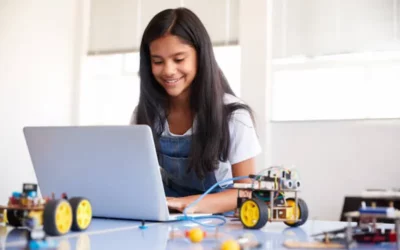
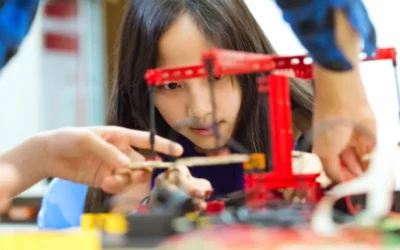
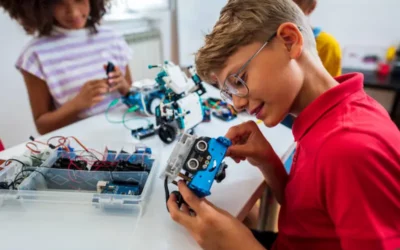
- BrightCHAMPS: Project-based, where kids build apps, websites and robots.
- Tynker: Offers creative coding tasks and gamified projects.
- CodeMonkey: Uses puzzles to teach basics, though projects are simpler.
3. Engagement
Screens can feel dull if lessons lack variety.
- BrightCHAMPS: A mix of projects, challenges, badges and competitions keeps sessions lively.
- Tynker: Gamified badges and rewards engage motivated learners.
- CodeMonkey: Puzzle-style challenges are fun early on but may feel repetitive over time.
4. Confidence & Social Skills
Beyond coding, kids need to communicate and collaborate.
- BrightCHAMPS: Peer learning, hackathons and masterclasses build teamwork and confidence.
- Tynker & CodeMonkey: Strong on solo learning, lighter on collaboration opportunities.
5. Parental Involvement
Parents often end up doubling as supervisors or tech support.
- BrightCHAMPS: Progress dashboards and a user-friendly platform reduce the load.
- Tynker & CodeMonkey: Easier for independent kids, but younger learners may need hand-holding.
👉 Curious to see your child build something amazing? Book a BrightCHAMPS class and find out.
So Who Wins?
So which platform really wins? Honestly, it depends on what your child needs. Tynker is great if your kid loves gaming-style progress and can stay motivated on their own. CodeMonkey is a sweet starter for younger kids who enjoy puzzles and step-by-step challenges. Both are fun but a little one note once the novelty wears off.
BrightCHAMPS is where it all comes together. It has the projects, the creativity and the fun, plus live mentors who actually guide your child. And it does not stop at coding. Kids dive into AI, robotics, money skills and communication. Add global competitions and progress dashboards and it feels more like a launchpad than just a class.
The bottom line? In 2026, coding is not just about writing lines of code. It is about raising problem solvers, confident creators and kids who can turn ideas into something real. BrightCHAMPS is the place where all of that clicks into place.
Want to know more? Explore our YouTube Channel and dive into BrightBYTES, a kid-friendly animated video series that makes concepts like HTML, CSS, and much more simple, fun and easy to understand.
FAQs – Quick Answers About The Best Coding Classes For Kids
The best coding classes for kids in 2026 include BrightCHAMPS, Tynker and CodeMonkey. Each has its own strengths: Tynker with gamified learning, CodeMonkey with puzzles and BrightCHAMPS with live mentorship and a broader, future-ready curriculum that goes beyond coding.
Q2. At what age should kids start coding?
Children can begin coding for beginners as early as 6 or 7 with block-based platforms that make learning playful and simple. As they grow, they can progress to text coding, AI and robotics. BrightCHAMPS, Tynker and CodeMonkey all offer online coding classes for kids, though BrightCHAMPS provides a more structured path as learners advance.
Q3. Are BrightCHAMPS classes free or paid?
BrightCHAMPS is a paid program, but it offers a free trial so families can experience live, project-based learning before committing. Tynker and CodeMonkey follow a subscription model, which can be cost-effective for self-motivated learners. Parents searching for the best value in coding platforms for kids often appreciate BrightCHAMPS’ free trial option.
Q4. Is Tynker good for beginners?
Yes. Tynker is well-suited for beginners who enjoy gamified lessons, badges and creative projects like Minecraft modding. It works best for independent learners, while BrightCHAMPS may be a better fit for children who benefit from real-time guidance in online coding classes for kids.
Q5. Can CodeMonkey prepare kids for advanced coding?
CodeMonkey is a fun and interactive way to introduce CoffeeScript and Python. It is engaging for early learners but has a narrower scope when children want to move into advanced or cross-domain skills. Parents who want their kids to go beyond basics often choose BrightCHAMPS, which offers the best coding classes for kids covering coding, AI, robotics and financial literacy.
Q6. How does BrightCHAMPS ensure my child’s online safety in online coding for kids?
BrightCHAMPS is COPPA compliant through its partnership with iKeepSafe (Safe Harbor) and holds the kidSAFE Seal Certification. As one of the best coding classes for kids, we collect only the minimum data required and give parents full control to access, review, or delete their child’s information. This ensures that kids can learn coding and future-ready skills online in a safe and secure environment.
Q7. What global alliances and accreditations make BrightCHAMPS one of the best coding classes for kids?
BrightCHAMPS partners with Harvard Business Publishing Education (Harvard ManageMentor®), is STEM.org accredited in coding, robotics, AI, and financial literacy, serves as an NSF HAND Consortium Affiliate (with Northwestern, MIT, CMU, Texas A&M), and is a proud AICRA Member. These global partnerships ensure our online coding for kids programs meet world-class standards and prepare children with future-ready skills.
👉 Ready to see your child code with confidence? Start their journey with a BrightCHAMPS trial class today.
 We are an army of educators and passionate learners from BrightChamps family, committed to providing free learning resources to kids, parents & students.